NSE5_FWB_AD-8.0 Fortinet NSE 5 - FortiWeb 8.0 Administrator Free Practice Exam Questions (2026 Updated)
Prepare effectively for your Fortinet NSE5_FWB_AD-8.0 Fortinet NSE 5 - FortiWeb 8.0 Administrator certification with our extensive collection of free, high-quality practice questions. Each question is designed to mirror the actual exam format and objectives, complete with comprehensive answers and detailed explanations. Our materials are regularly updated for 2026, ensuring you have the most current resources to build confidence and succeed on your first attempt.
Refer to the exhibit.
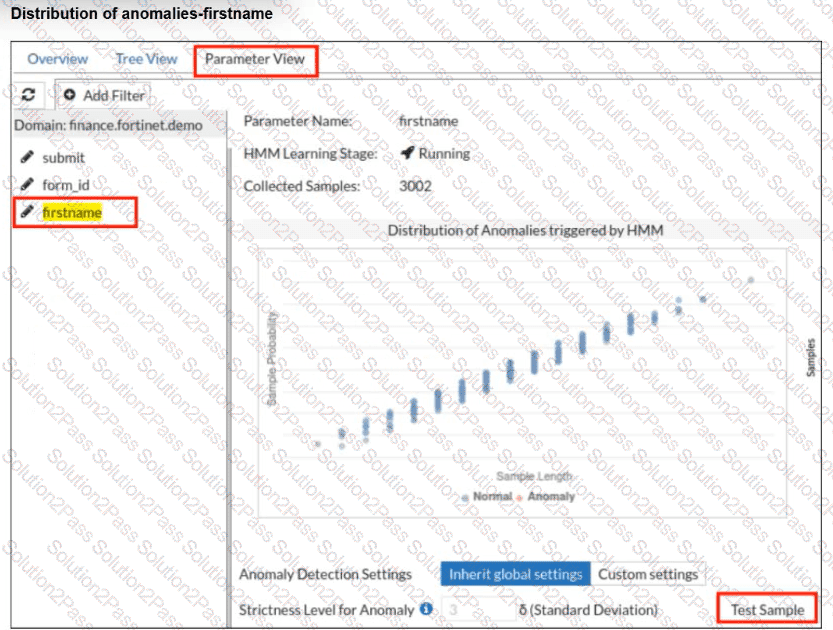
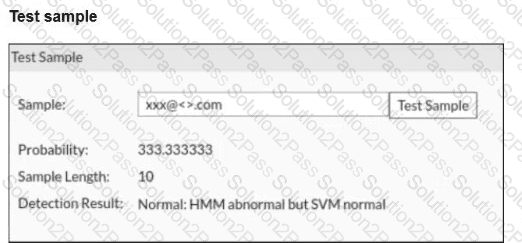
A FortiWeb administrator tests a new form input value after training the machine learning (ML) anomaly detection system.
The hidden Markov model (HMM) flags the input as abnormal, while the support vector machine (SVM) model classifies it as normal. FortiWeb allows the request.
What does this result indicate about the FortiWeb ML anomaly detection behavior?
A FortiWeb administrator wants to stop coordinated scraping traffic coming from several IP addresses, each making only a few requests so thresholds never trigger.
Which tactic should the administrator deploy to identify botnets using shared behavioral signals instead of volume?
Refer to the exhibit.
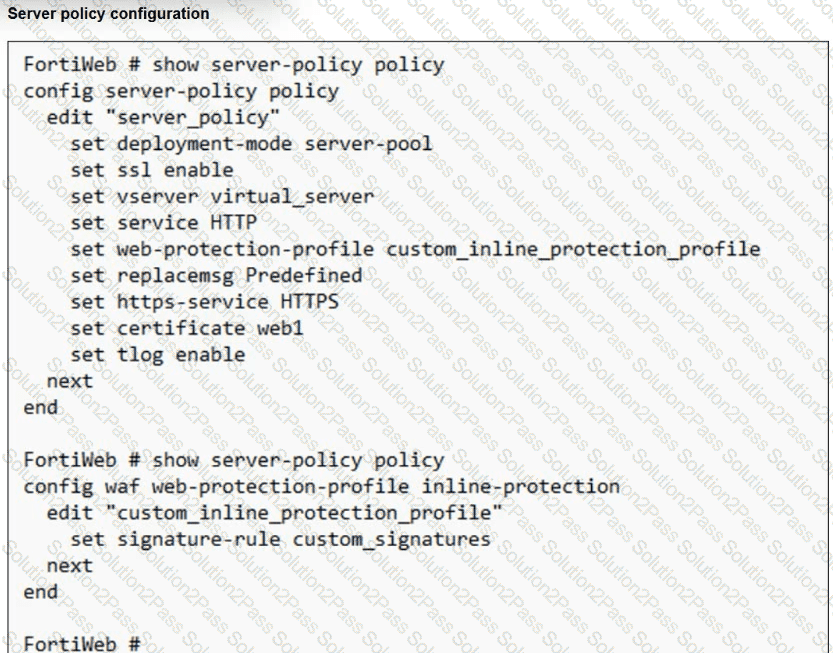
You have deployed FortiWeb behind a FortiGate that is configured as a reverse proxy and inserts the X-Forwarded-For HTTP header when forwarding HTTP and HTTPS traffic.
FortiWeb is using a custom inline protection profile, and logging is enabled, as shown in the exhibit.
You notice that FortiWeb is blocking legitimate users, and all requests in the attack logs appear to come from the FortiGate IP address, not the original client IP address.
Which action should you take to fix this issue?
Refer to the exhibits.
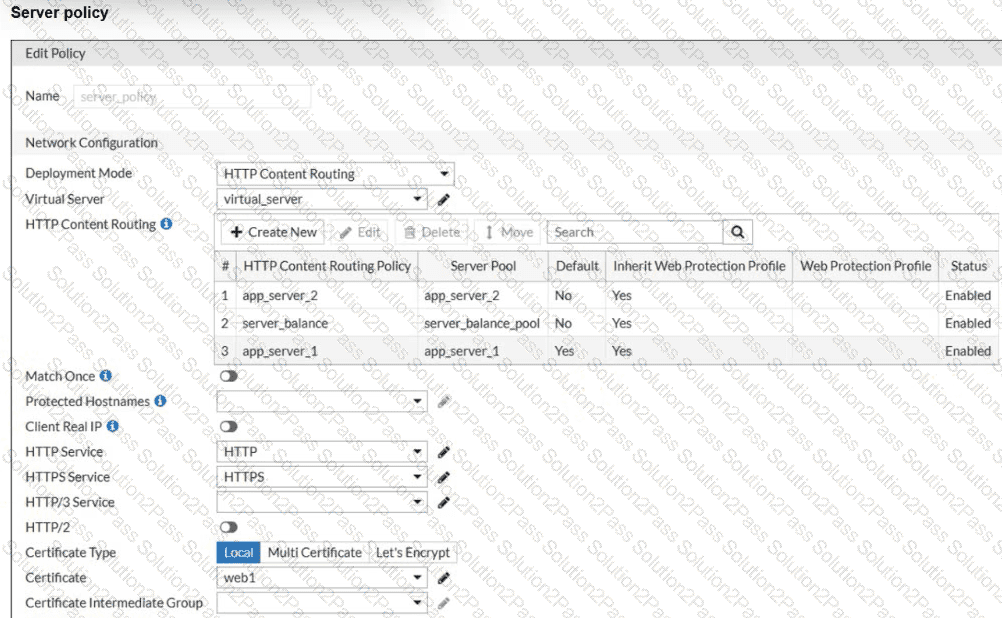
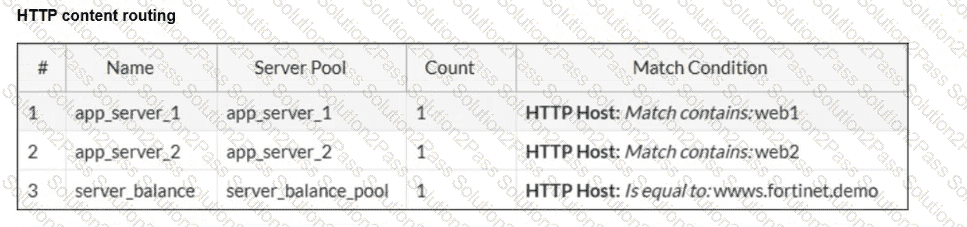
A new domain, https://finance.fortinet.demo, was added but not explicitly mapped. Users report the site loads correctly, but you’re unsure which back-end server is being used.
Why is this request succeeding despite no explicit routing rule for finance.fortinet.demo?
While reviewing FortiWeb logs, you notice a suspicious login request that failed authentication. You suspect it may be part of an injection attack targeting the login form.
Which input pattern is an example of a typical SQL injection attempt that could bypass authentication checks?
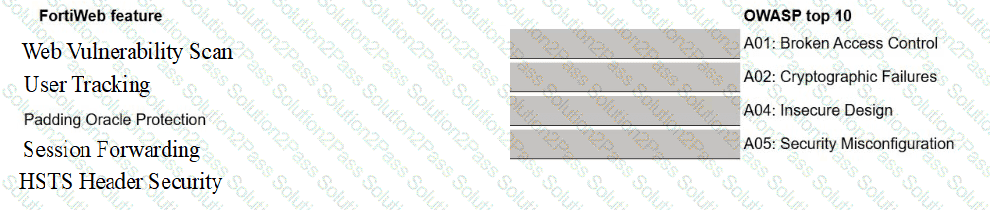
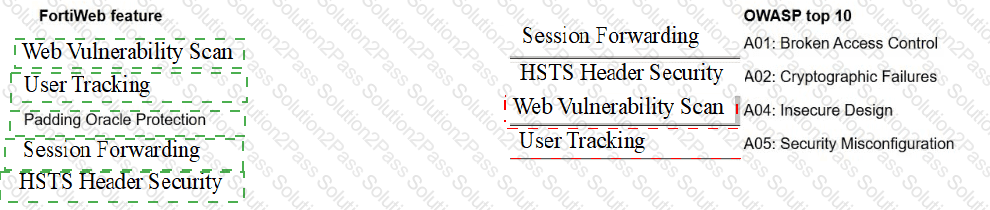
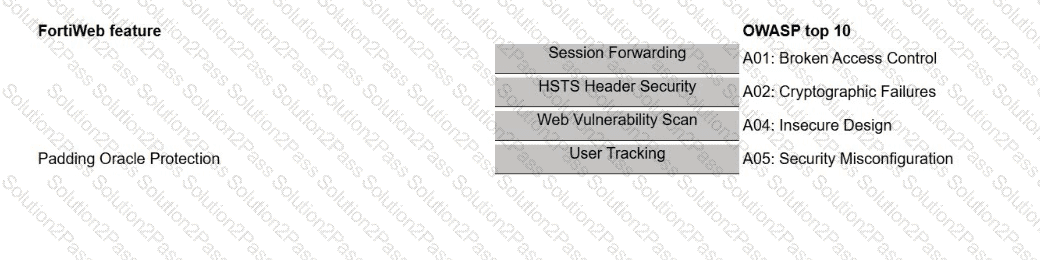
A FortiWeb administrator is reviewing issues found during a security audit. The audit lists shortcomings based on behavior, configuration, and data protection.
The administrator must break down the findings and match them with the correct FortiWeb feature.
Select each FortiWeb feature in the left column, hold and drag it to the blank space next to the OWASP issue in the column on the right. Once you match a FortiWeb
feature to the OWASP issue, you can move it again if you want to change your answer by clicking on the FortiWeb feature. You need to match five FortiWeb features to
the OWASP issue in the work area.
You are reviewing a report from your FortiWeb logs and notice a JavaScript payload like < script > document.cookie < /script > is submitted through a product review form. The page doesn’t filter the script, and when users view the review, their session cookies are exposed.
Why is this attack dangerous?
FortiWeb is blocking groups of users behind your load balancer. In the logs, all users show the same source IP address.
Which action should you take to restore proper client identification?
Refer to the exhibit.
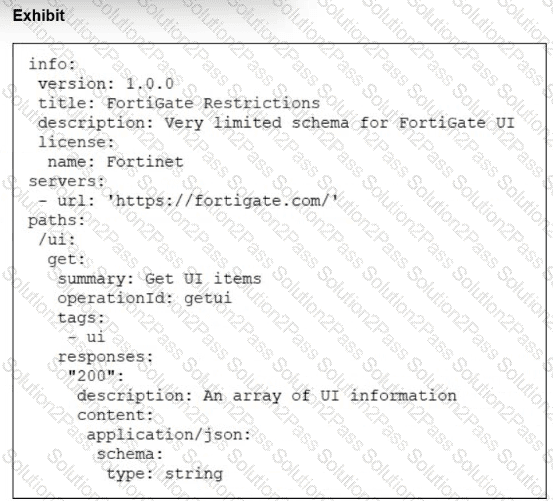
What does the exhibit show?
Which URL should you rewrite to reduce security risk?