AB-650 Microsoft Administering Microsoft 365 and AI Services Free Practice Exam Questions (2026 Updated)
Prepare effectively for your Microsoft AB-650 Administering Microsoft 365 and AI Services certification with our extensive collection of free, high-quality practice questions. Each question is designed to mirror the actual exam format and objectives, complete with comprehensive answers and detailed explanations. Our materials are regularly updated for 2026, ensuring you have the most current resources to build confidence and succeed on your first attempt.
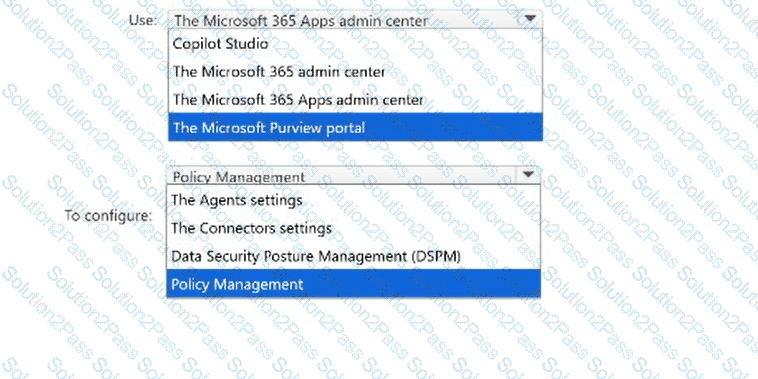
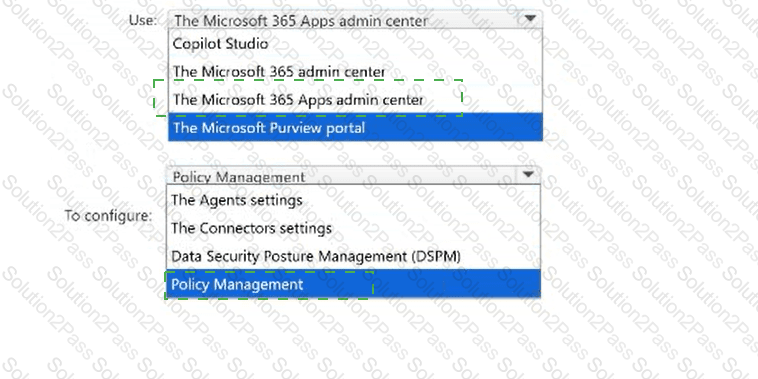
You have a Microsoft 365 subscription.
Users can enable and disable web search from within Microsoft 365 Copilot.
You need to remove the web search option from Microsoft 365 Copilot Chat only when Work IQ is active.
What should you do? To answer, select the appropriate options in the answer area.
NOTE: Each correct selection is worth one point.

You have a Microsoft 365 subscription that contains a Microsoft 365 group named Marketing. The subscription does NOT have a default organization theme configured.
You need to configure organization themes to meet the following requirements:
All users must be able to see the company logo in the Microsoft 365 top navigation bar.
Only the users in Marketing must be able to see a custom color scheme on the top navigation bar.
The solution must use the fewest number of themes.
What should you do?
You have a Microsoft 365 subscription.
Your company has two office branches in the same city. Both branches contain Windows devices that have Windows location services disabled by policy. Each branch uses a distinct IPv4 LAN subnet.
You plan to review Microsoft 365 network connectivity insights for each branch separately.
You need to configure network connectivity to ensure that assessment results are associated with the correct branch.
What should you do?
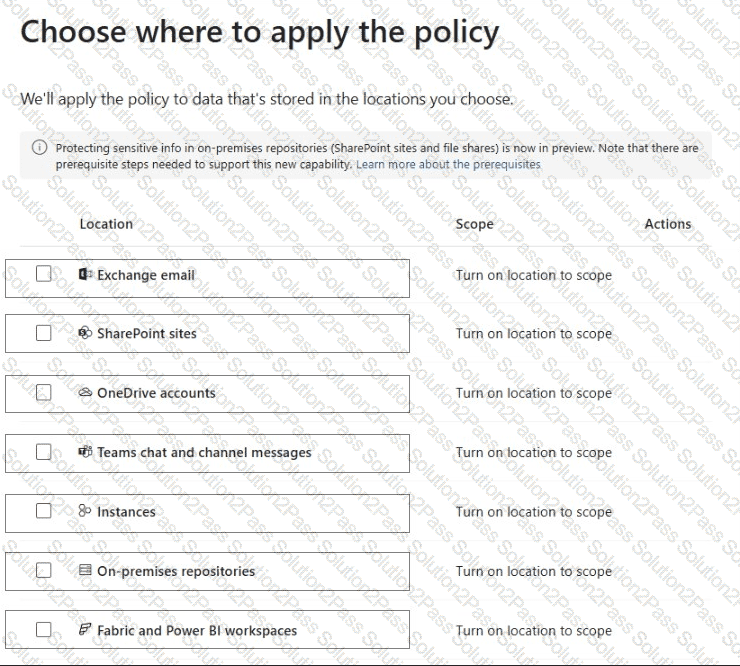
You have a Microsoft 365 E5 tenant.
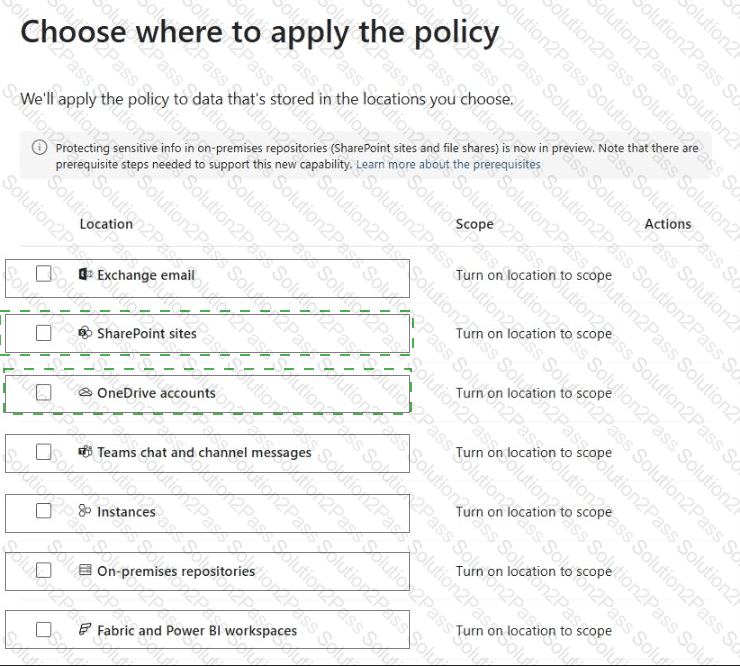
You create a data loss prevention (DLP) policy to prevent users from using Microsoft Teams to share internal documents with external users.
To which two locations should you apply the policy? To answer, select the appropriate locations in the answer area.
NOTE: Each correct selection is worth one point.
You have a Microsoft 365 subscription.
The users in your company ' s sales department are assigned Microsoft 365 E3 licenses and Microsoft 365 Copilot licenses. Microsoft Office LTSC Professional Plus 2021 is installed on the users ' Windows devices.
The sales department users report that Microsoft 365 Copilot is unavailable in Microsoft Word, Excel, and PowerPoint on the devices.
You need to enable Copilot across desktop app experiences.
What should you do?
You have a Microsoft 365 subscription that uses Microsoft Defender for Office 365. Standard protection is enabled for all recipients.
The subscription contains a mail-enabled security group named Group1. Group1 contains users that require custom inbound anti-spam actions. A custom anti-spam inbound policy named Policy1 is applied to Group1 and has a priority value of 0.
You discover that email sent to the users in Group1 is evaluated by using the Standard preset security policy instead of Policy1.
You need to ensure that Policy1 is applied to Group1. All other recipients must continue to receive the Standard protection settings.
What should you do?
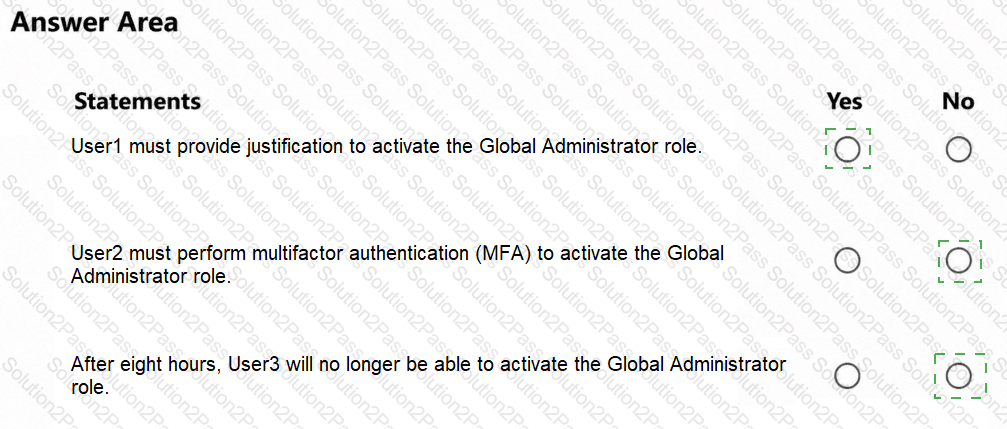
You have a Microsoft 365 subscription that contains the users shown in the following table.
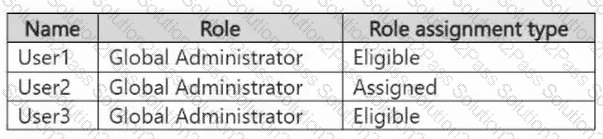
The Global Administrator role has the Privileged Identity Management (PIM) settings shown in the following table.
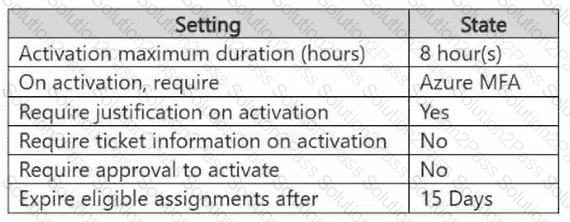
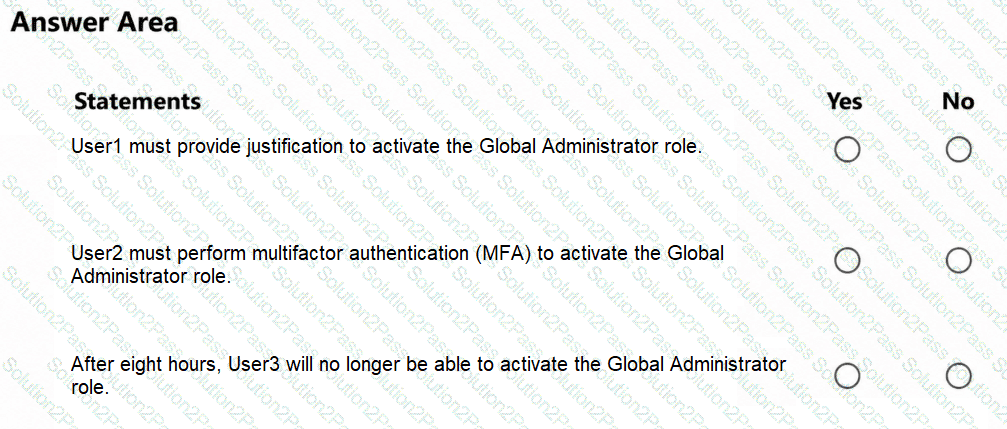
For each of the following statements, select Yes if the statement is true. Otherwise, select No.
NOTE: Each correct selection is worth one point.
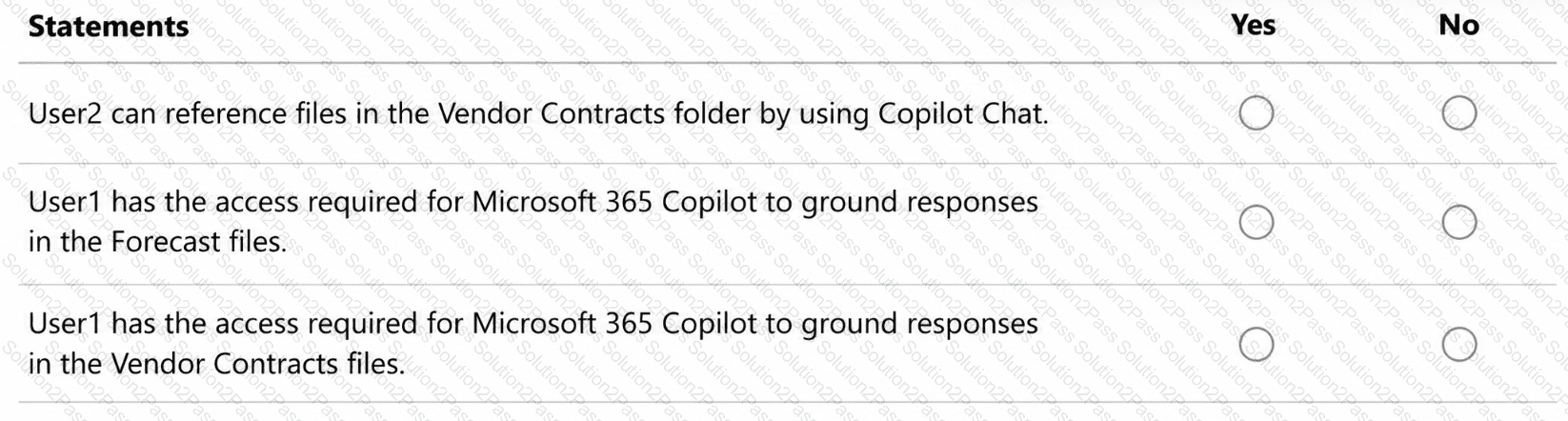
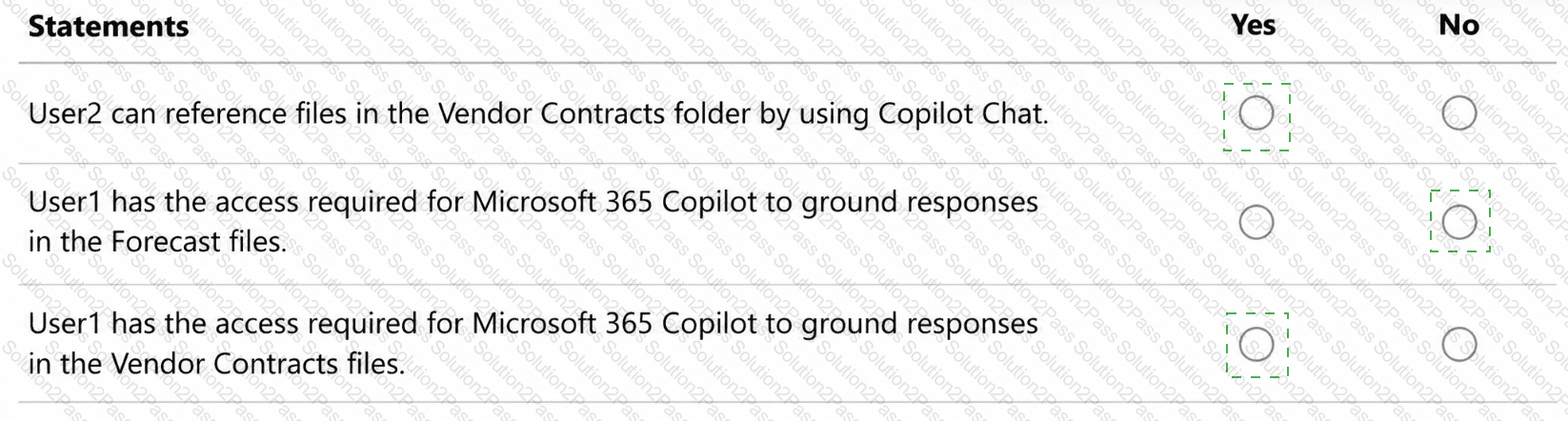
You have a Microsoft 365 subscription that contains the resources shown in the following table.
Name
Description
Group1
Microsoft 365 group
User1
User that is assigned a Microsoft 365 Copilot license and is outside of Group1
User2
User that has access to Microsoft 365 Copilot Chat only and is in Group1
Microsoft SharePoint contains the folders shown in the following table.
Name
Description
Forecast
Has access set to Everyone except external users. Has a sensitivity label applied that encrypts files and grants usage rights to only Group1
Vendor Contracts
Has access set to Everyone except external users. Contains unlabeled files
For each of the following statements, select Yes if the statement is true. Otherwise, select No.
You have a data loss prevention (DLP) policy.
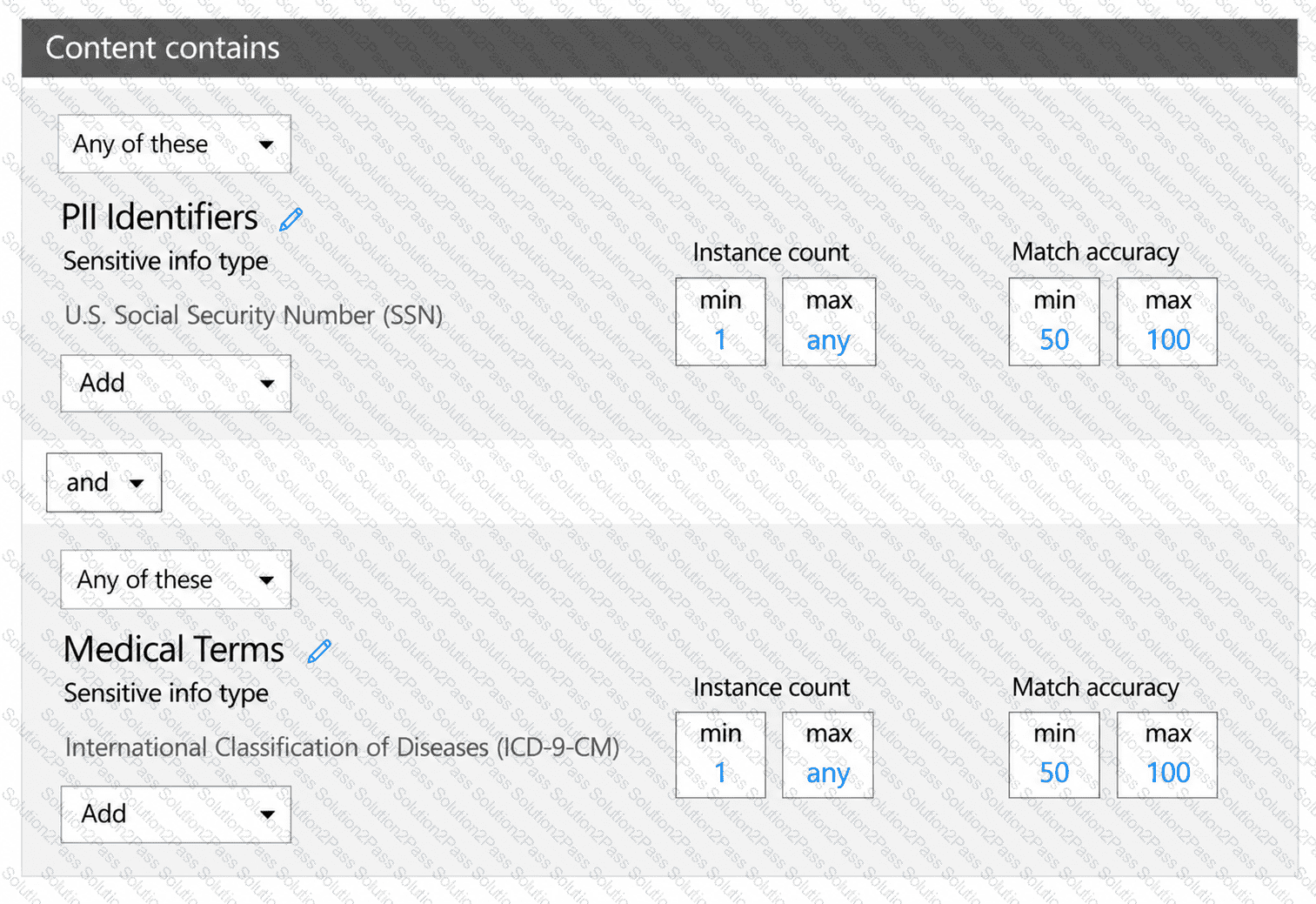
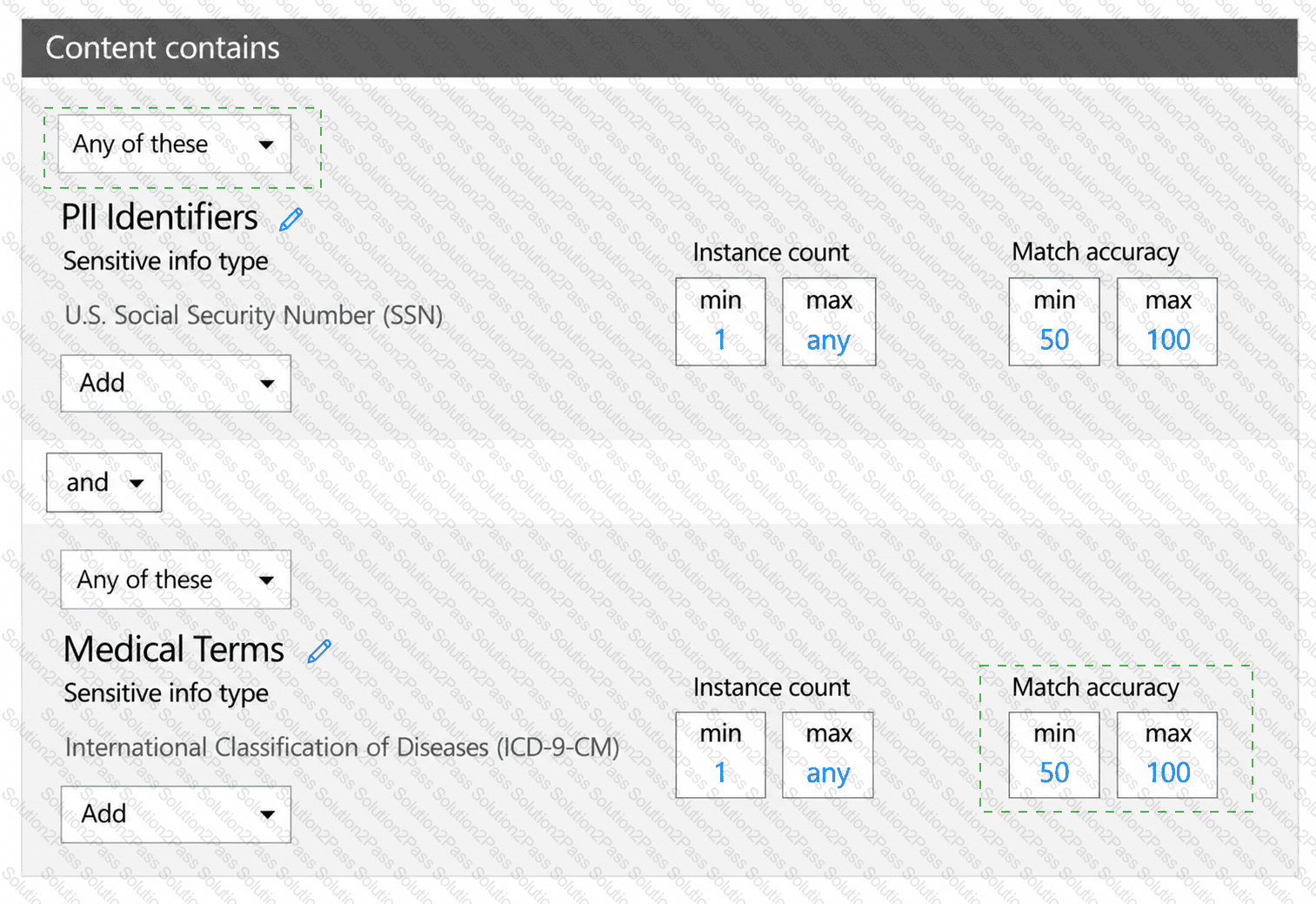
You need to increase the likelihood that the DLP policy will apply to data that contains medical terms from the International Classification of Diseases (ICD-9-CM). The solution must minimize the number of false positives.
Which two settings should you modify? To answer, select the appropriate settings in the answer area.
NOTE: Each correct selection is worth one point.
Note: This section contains one or more sets of questions with the same scenario and problem. Each question presents a unique solution to the problem. You must determine whether the solution meets the stated goals. More than one solution in the set might solve the problem. It is also possible that none of the solutions in the set solve the problem.
After you answer a question in this section, you will NOT be able to return. As a result, these questions do not appear on the Review Screen.
You have a Microsoft 365 subscription that uses Microsoft Agent 365. The subscription contains an agent named Agent1.
The compliance team reports that confidential project information might appear in prompts submitted to Agent1 and in responses generated by Agent1.
You need to identify agent interactions that include confidential information in prompts or responses.
Solution: From the agent registry, you open the Security tab for Agent1.
Does this meet the goal?
You have a Microsoft 365 subscription that uses Microsoft 365 Copilot. The subscription contains a SharePoint site named Site1 and a security group named Group1.
Site1 contains sensitive project documents. Some users that are outside of Group1 have direct permissions or sharing links to the documents in Site1.
You need to ensure that only the users in Group1 can open the Site1 documents. The solution must meet the following requirements:
The Group1 users must require existing SharePoint permissions to access the documents.
Authorized users must continue to access the documents by using Microsoft 365 Copilot.
Existing SharePoint permissions must be preserved.
What should you configure?
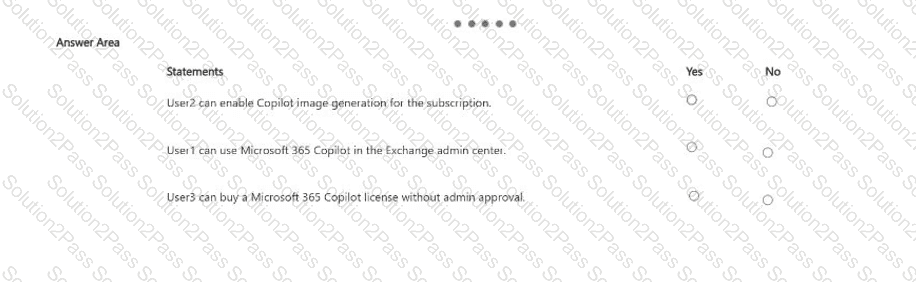
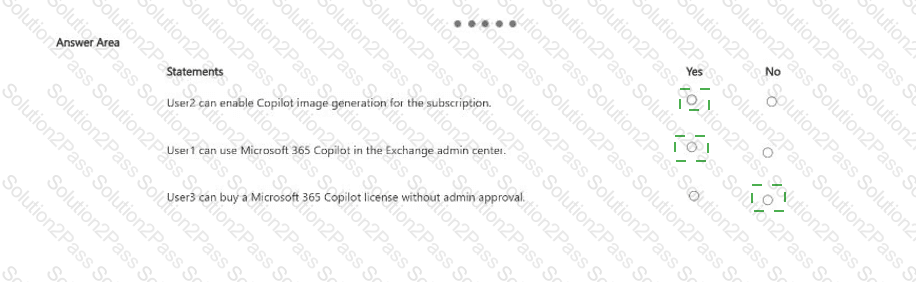
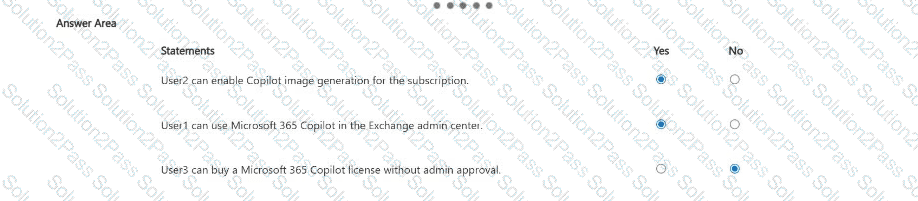
You have a Microsoft 365 subscription that has at least one paid Microsoft 365 Copilot license.
Microsoft 365 Copilot is configured as shown in the following table.

The subscription contains the users shown in the following table.

For each of the following statements, select Yes if the statement is true. Otherwise, select No.
NOTE: Each correct selection is worth one point.
You have a Microsoft 365 subscription that contains two registered agents named Agent1 and Agent2.
Users access the agents by using Microsoft 365 Copilot Chat.
You need to compare the activities of Agent1 and Agent2 from the last 30 days. The solution must provide the daily interaction volume of each agent.
What should you use?
You have a Microsoft 365 E5 subscription that uses Microsoft Exchange. The subscription contains a mail-enabled security group named Group1 and a user named User1.
User1 has a mailbox named Mailbox1 that is 42 GB in size.
User1 is transferred to a new role and will no longer use Mailbox1.
You need to modify Mailbox1 to meet the following requirements:
Preserve access to historical email.
Enable the users in Group1 to open Mailbox1.
Enable the Group1 users to send email messages that appear to be sent from Mailbox1.
Which two actions should you perform? Each correct answer presents part of the solution.
NOTE: Each correct selection is worth one point.
You have a Microsoft 365 subscription that uses sensitivity labels.
Your company has the following departments:
The legal department drafts contracts in Microsoft Word, stores the drafts in Microsoft SharePoint, and shares copies with external counsel. The content must retain encryption and content markings when downloaded or shared.
The research department collaborates by using a team in Microsoft Teams. The collaboration environment must control guest access and access from unmanaged devices.
You need to define the sensitivity label scope for each department.
What should you use for each department? To answer, drag the appropriate scopes to the correct departments.


You have a Microsoft 365 subscription that uses Microsoft Agent 365. The subscription contains an agent named Agent1.
Agent1 uses Microsoft SharePoint content as knowledge. Some SharePoint files contain the national ID numbers of employees and have a sensitivity label applied.
You need to prevent Agent1 from returning content that is labeled as sensitive. The solution must NOT affect unlabeled content.
What should you use?
You have a Microsoft 365 E5 subscription that uses Attack simul-ation training. The subscription contains a group named Group1.
A simul-ation that targeted Group1 ended 30 days ago and assigned a training module. The users have 90 days to complete the training module.
You need to assign the same training module to the current users in Group1. The solution must meet the following requirements:
The users must receive reminder notifications as soon as possible.
Changes to recipient targeting must be minimized.
Which two actions should you perform? Each correct answer presents part of the solution.
NOTE: Each correct selection is worth one point.
You have a Microsoft 365 E5 tenant that contains a Microsoft SharePoint site named Site1. Site1 contains the files shown in the following table.
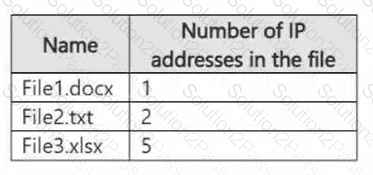
You create a sensitivity label named Sensitivity1 and an auto-label policy that has the following configurations:
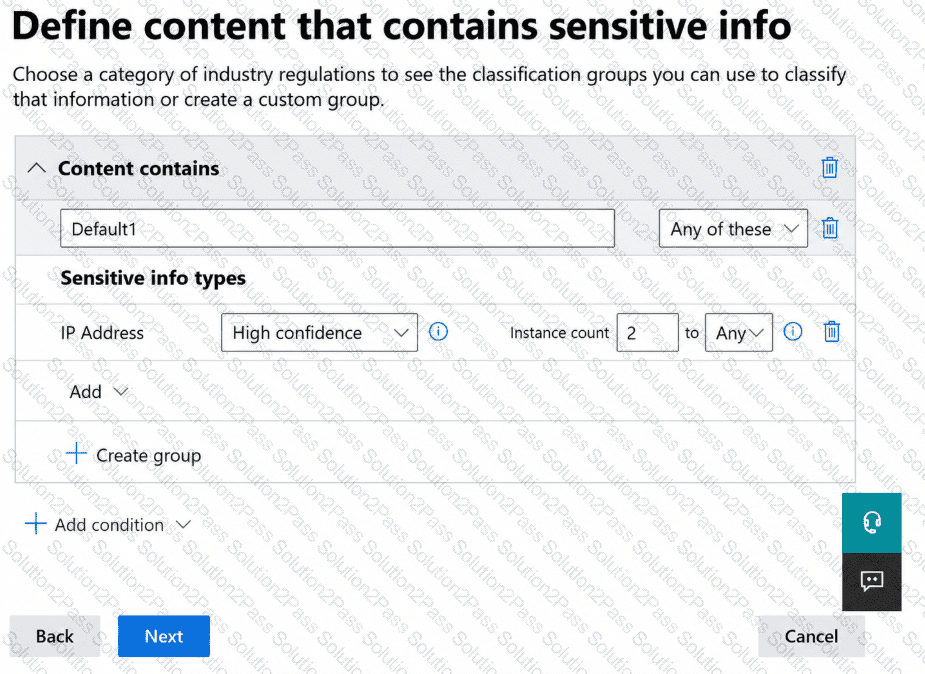
Name: AutoLabel1
Label to auto-apply: Sensitivity1
Choose locations where you want to apply the label: Site1
The Define content that contains sensitive info settings for AutoLabel1 is shown in the following exhibit.
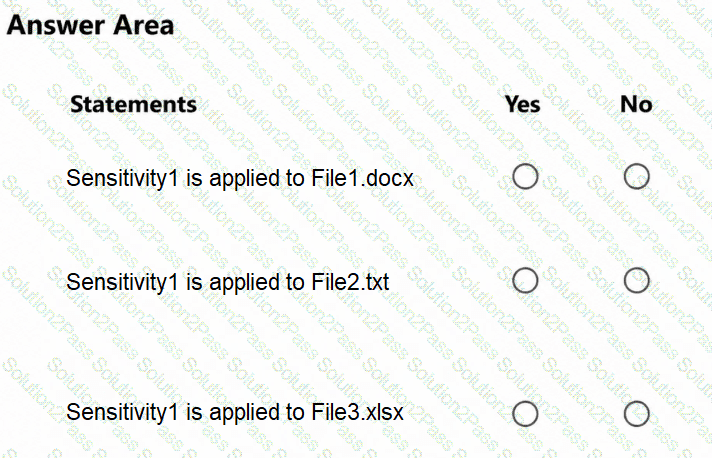
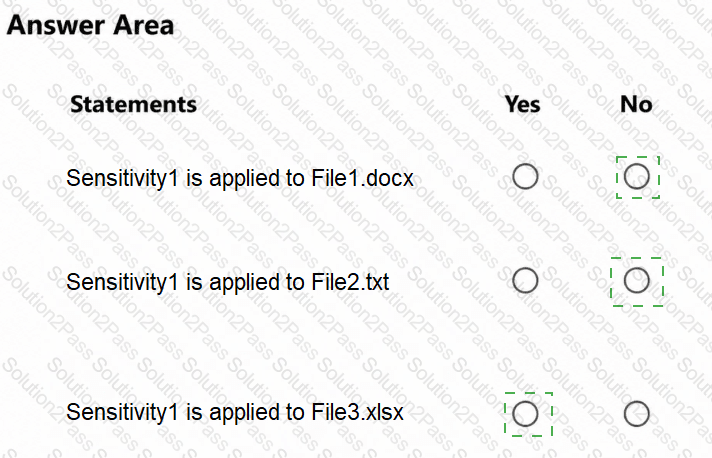
For each of the following statements, select Yes if the statement is true. Otherwise, select No.
NOTE: Each correct selection is worth one point.
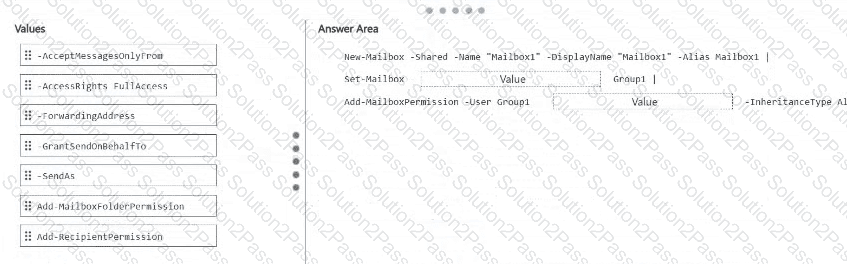
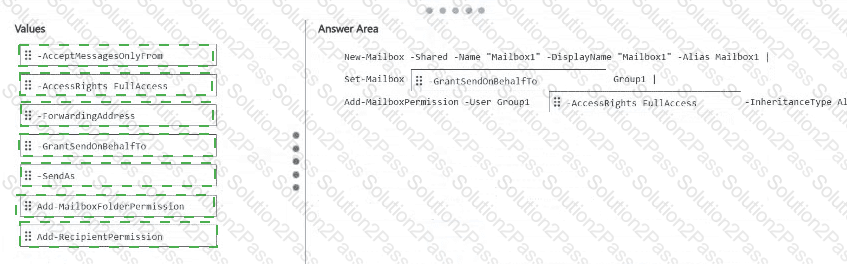
You have a Microsoft 365 subscription that uses Microsoft Exchange. The subscription contains a mail-enabled security group named Group1.
You manage recipients by using Exchange Online PowerShell.
You need to create a shared mailbox named Mailbox1. The solution must meet the following requirements:
The users in Group1 must be able to open Mailbox1, create mailbox items, and modify the mailbox items.
The Group1 users must be able to send messages from Mailbox1, and recipients must be able to identify the individual sender.
How should you complete the PowerShell command? To answer, drag the appropriate values to the correct targets. Each value may be used once, more than once, or not at all. You may need to drag the split bar between panes or scroll to view content.
NOTE: Each correct selection is worth one point.
You have a Microsoft 365 subscription that has an initial domain named contoso.onmicrosoft.com and two verified custom domains named contoso.com and fabrikam.com.
The fabrikam.com domain is the default domain.
The contoso.com domain uses managed authentication, and has 750 references across unused user accounts, application identifier URIs, and mail-enabled security groups.
You need to remove contoso.com from the subscription. The solution must minimize manual changes to Microsoft Entra objects.
What should you do?