AB-730 Microsoft AI Business Professional Free Practice Exam Questions (2026 Updated)
Prepare effectively for your Microsoft AB-730 AI Business Professional certification with our extensive collection of free, high-quality practice questions. Each question is designed to mirror the actual exam format and objectives, complete with comprehensive answers and detailed explanations. Our materials are regularly updated for 2026, ensuring you have the most current resources to build confidence and succeed on your first attempt.
You have a Microsoft 365 Copilot license.
You are preparing a business presentation by using Copilot in PowerPoint
Which two tasks can you achieve by using Cop lot n PowerPoint? Each correct answer presents a complete the solution NOTE Each correct selection is worth one point.
You plan to use a notebook in Microsoft 365 Copilot.
What is the purpose of a notebook?
What is the purpose of adding custom instructions in Microsoft 365 Copilot?
You run a prompt by using the Researcher agent in Microsoft 365 Copilot.
For each of the following statements, select Yes if the statement is true. Otherwise, select No.
NOTE: Each correct selection is worth one point.
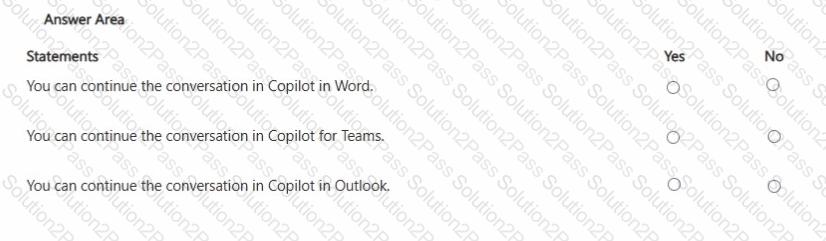

You plan to create an agent in the Microsoft 365 Copilot app to help meeting organizers create and run effective meetings The agent will be used to prepare invite emails, assign meeting roles, and take meeting notes
You need to create the agent as soon as passible, and then perform a basic test of the agent. The solution must minimize effort
What is the best approach to achieve the goal? More than one answer choice may achieve the goal Select the BEST answer
You create a Microsoft 365 Copilot notebook and add a file named Process.docx from a local folder. Yesterday, you updated Process.docx in the local folder. What will occur when you chat in the notebook?
You run a saved prompt and receive the following response:
" You asked for a summary of File.docx. However, the file appears to be either empty, corrupted, or in a format that I cannot process. "
What is a possible cause of the response?
You create a prompt and add several files from your Microsoft OneDrive.
You share the prompt to a user by using email.
What occurs when the user uses the prompt?
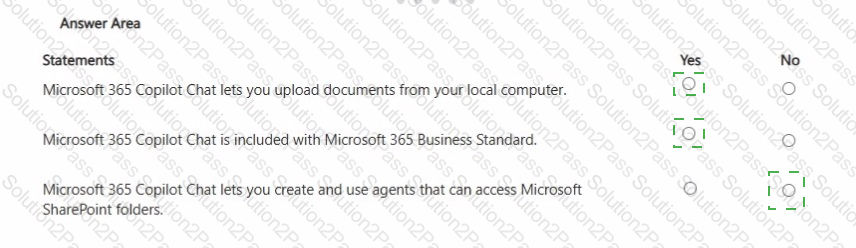
You have a Microsoft 365 subscription.
You do NOT have a Microsoft 365 Copilot license.
For each of the following statements, select Yes if the statement is true. Otherwise, select No.
NOTE: Each correct selection is worth one point.
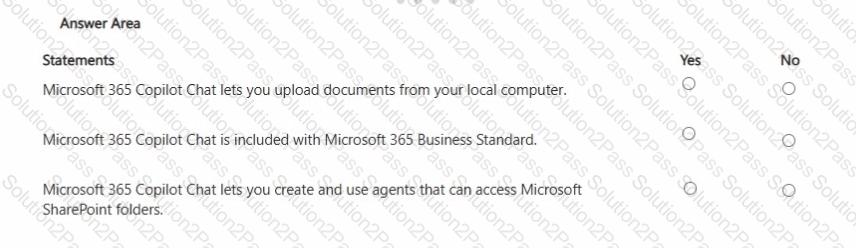

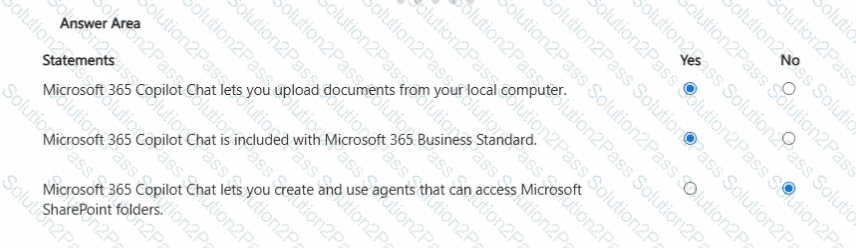
You create and share a Microsoft 365 Copilot agent named Agent1 that contains three suggested prompts. A user named Ben Smith installs Agent1. You add a new suggested prompt to Agent1. You need to ensure that Ben Smith sees the new suggested prompt. What should you do?
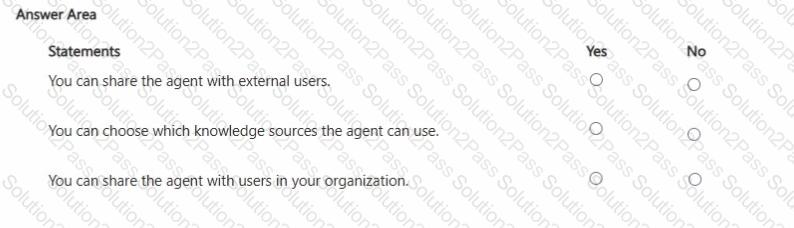
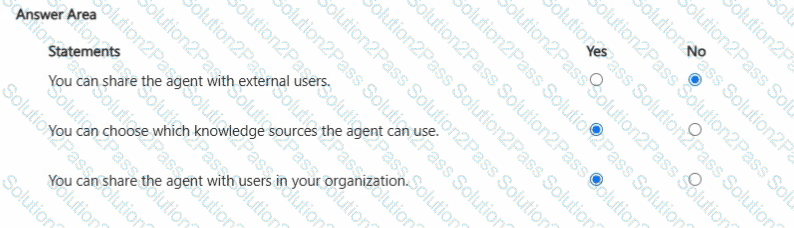
You create an agent in the Microsoft 365 Copilot app by using a template.
For each of the following statements, select Yes if the statement is true. Otherwise, select No.
NOTE: Each correct selection is worth one point.
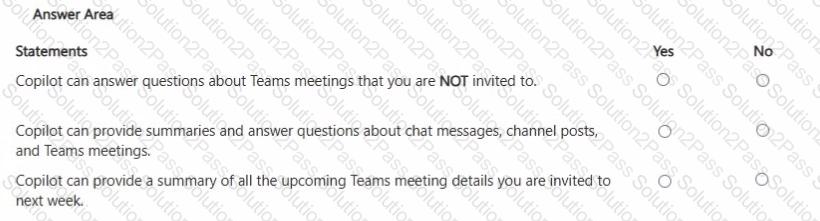
You are a business user who uses Microsoft 365 apps and services, including Microsoft Teams. You have a work account.
You want to use Microsoft 365 Copilot to help with meetings.
For each of the following statements, select Yes if the statement is true. Otherwise, select No.
NOTE: Each correct selection is worth one point.

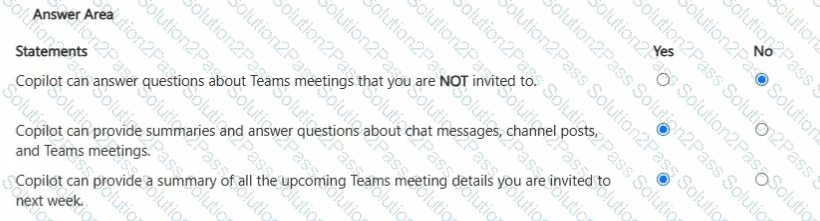
You create a Microsoft Teams meeting that will only allow the use of Copilot during the meeting. The meeting will NOT be transcribed.
Which statement accurately describes how Copilot can be used during the meeting?
Select the answer that correctly completes the sentence.


For each of the following statements, select Yes if the statement is true. Otherwise, select No.
NOTE: Each correct selection is worth one point.
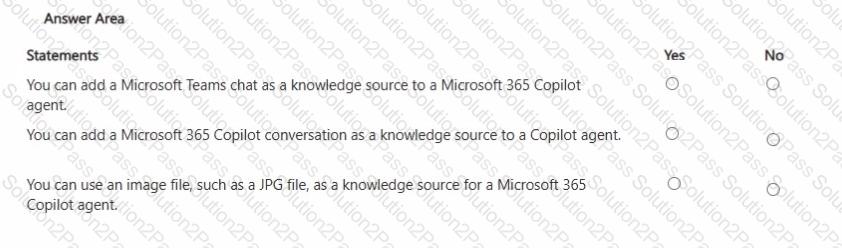
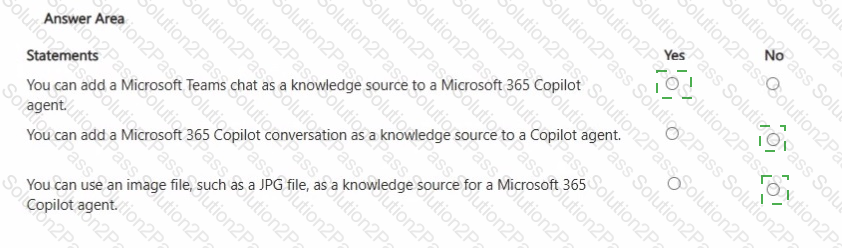
You sign in to the Microsoft 365 Copilot app by using your work account as shown in the exhibit.
A colleague tells you that when they open the Microsoft 365 Copilot app, they have access to the Researcher agent. You need to access the Researcher agent.
What should you do?
You attend many Microsoft Teams meetings.
You want to ensure that you can catch up on key points and next steps after each meeting.
Which Microsoft 365 Copilot feature should you use after the meetings?
For each of the following statements, select Yes if the statement is true. Otherwise, select No.
NOTE: Each correct selection is worth one point.
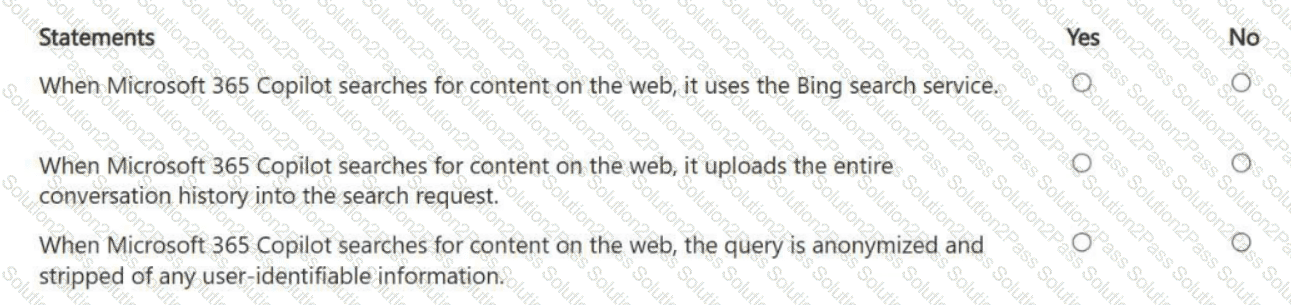
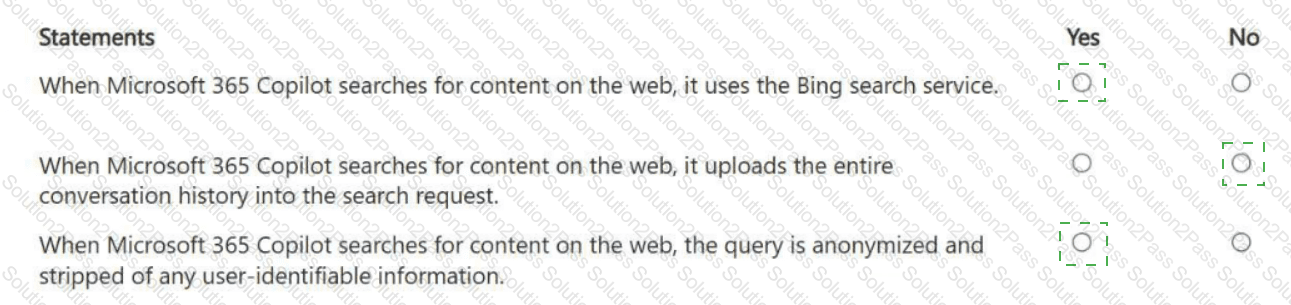
For each of the following statements, select Yes if the statement is true. Otherwise, select No. NOTE: Each correct selection is worth one point.
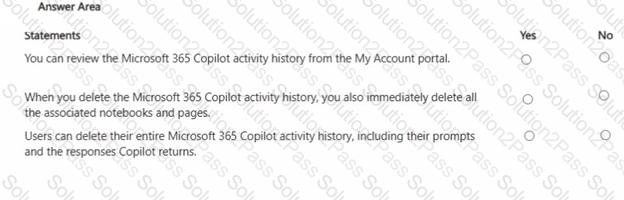

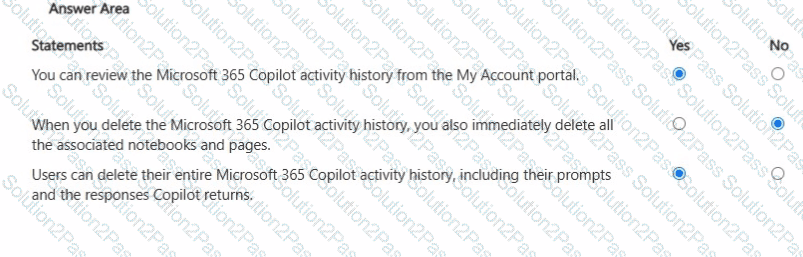
You sign in to the Microsoft 365 Copilot app by using your work account as shown in the following exhibit
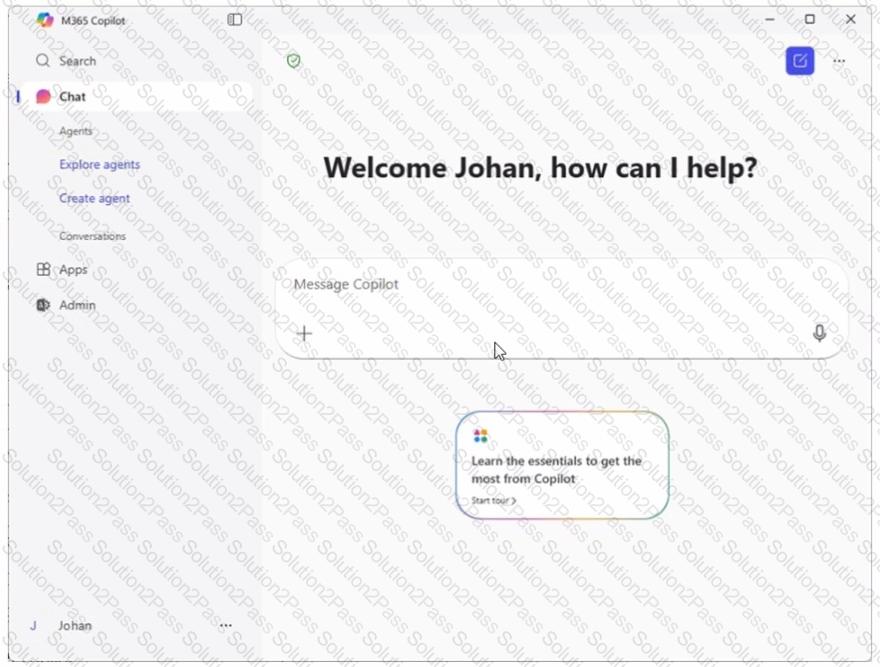
A colleague tells you that when they open the Microsoft 365 Copilot app, they have access to the Researcher agent. You need to access to the Researcher agent.
What should you do?