TDS-C01 Tableau Desktop Specialist Free Practice Exam Questions (2026 Updated)
Prepare effectively for your Tableau TDS-C01 Tableau Desktop Specialist certification with our extensive collection of free, high-quality practice questions. Each question is designed to mirror the actual exam format and objectives, complete with comprehensive answers and detailed explanations. Our materials are regularly updated for 2026, ensuring you have the most current resources to build confidence and succeed on your first attempt.
You have a bar chart that has a dimension on the Columns shelf and a measure on the Rows shelf.
How can you make a stacked bar chart?
Which type of date filter can you use to choose a range of dates based on TODAY ()?
Which of the following are valid ways of Grouping Data?

Which three statements accurately describe continuous fields? Choose three.
What are two correct methods to change the data type of a field? Choose two.
Which statement accurately describes an extract when the Physical Tables option is selected?
Which of the following charts types always includes bars sorted in descending order?
What does the following icon do in Tableau?
Larger image
A union of two tables usually results in an
The icon associated with the field that has been grouped is a ______________
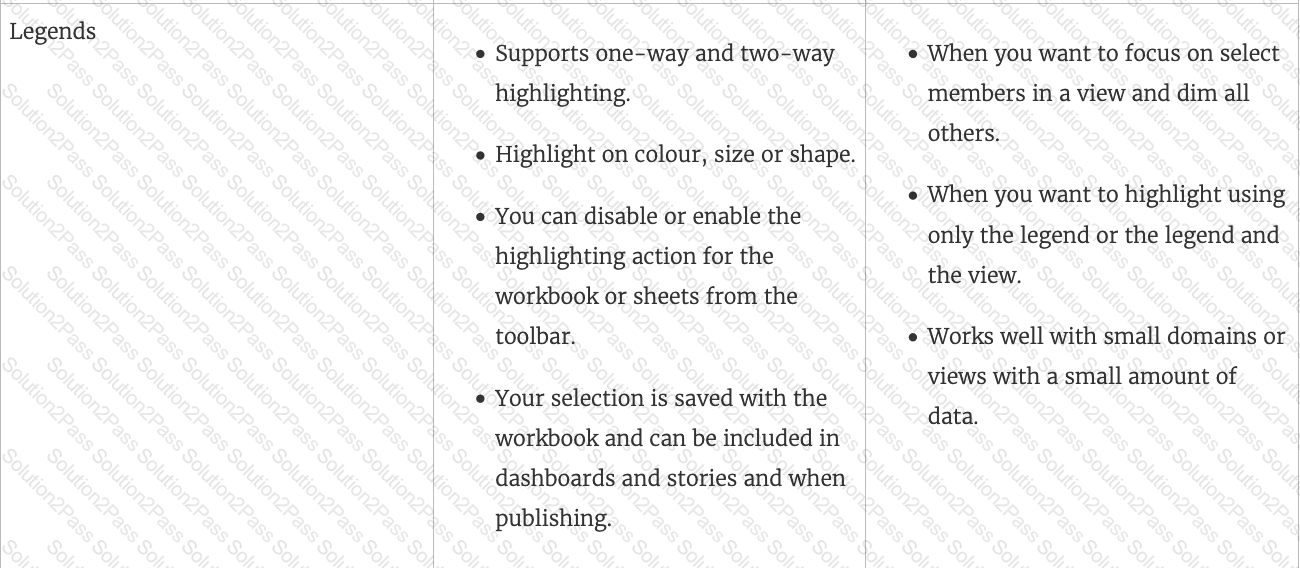
True or False: The Highlighting action can be disabled for the entire workbook.
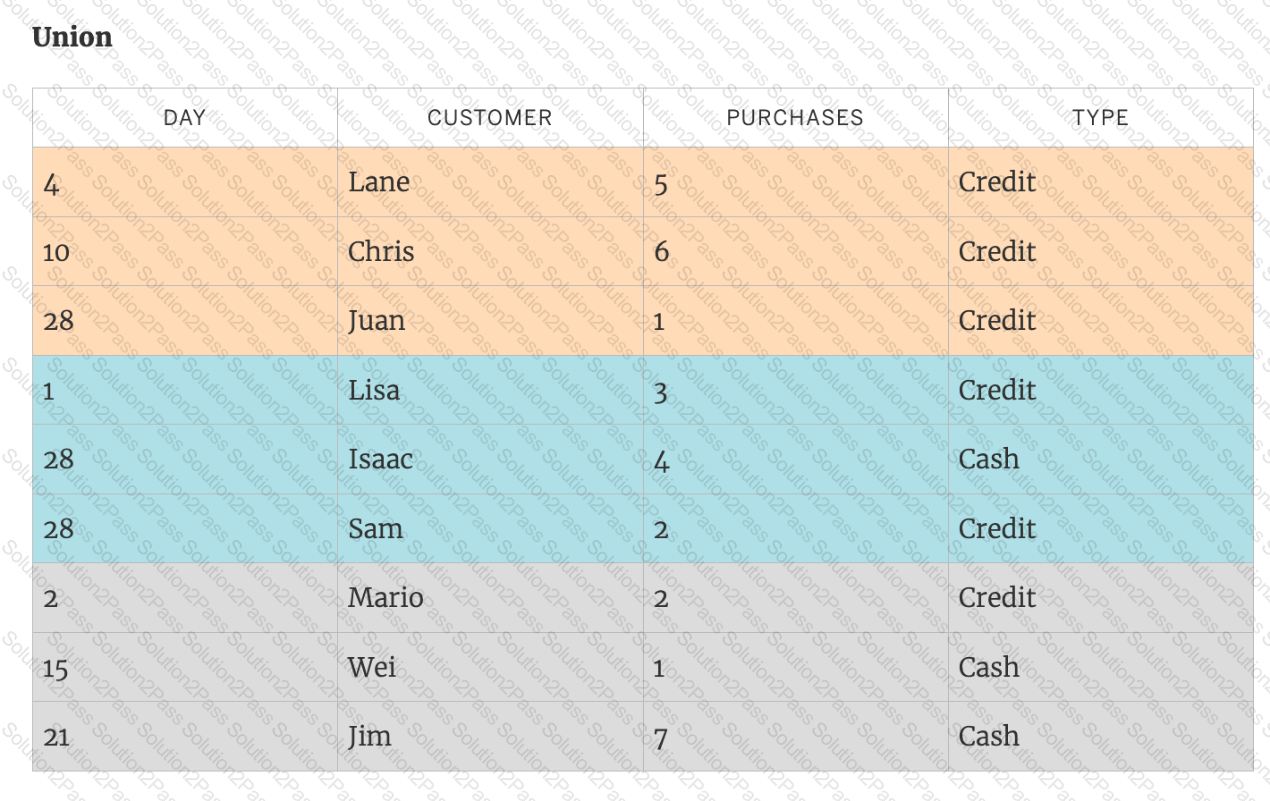
You can _______________ your data to combine two or more tables by appending values (rows) from one table to another
What are three geographic roles that you can assign to a field? Choose three.
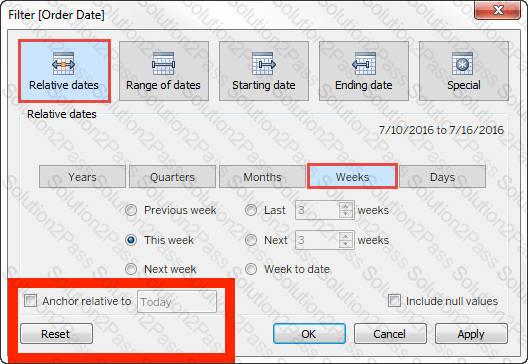
For a relative date filter, the default anchor is _________________
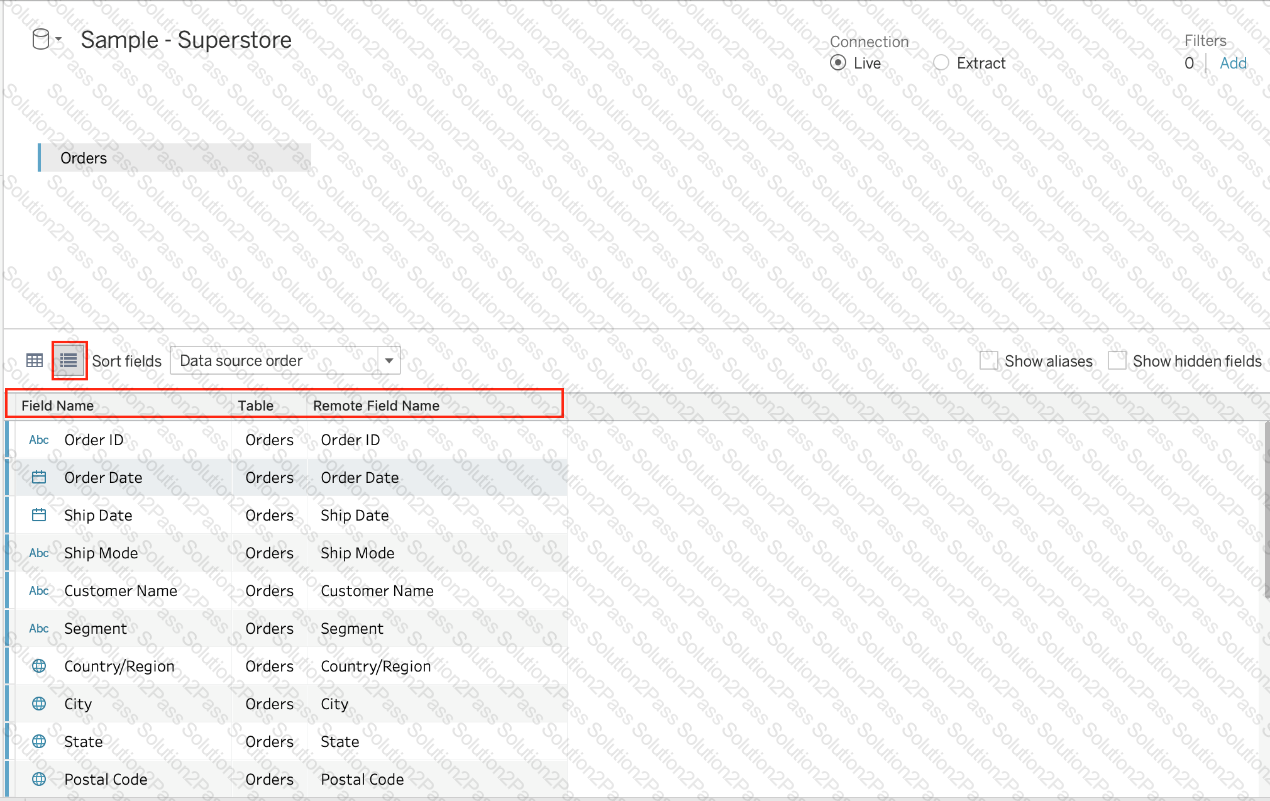
When using the manage metadata option, we can create custom names for columns where _____________ is the original name of the column whereas _____________ is the custom name we created in Tableau.
Beginning in version 10.5, when you create a new extract, it uses the _________ format instead of the .tde format.
You have a data set that builds a union between two tables. You need to extract the data set. What should you use to extract the data set?
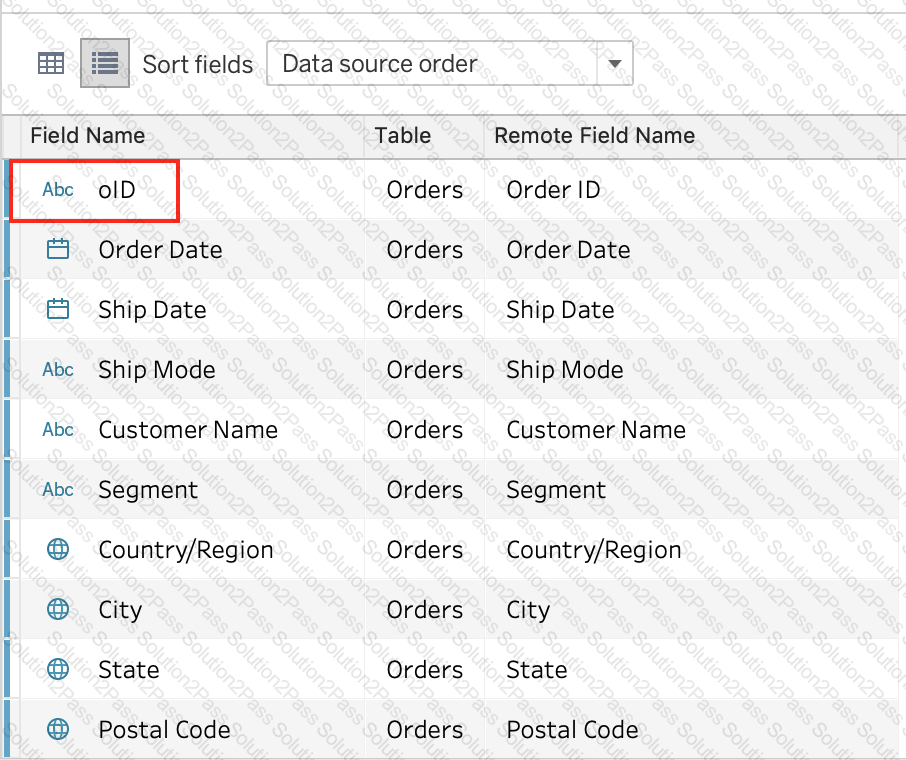
You want to provide additional information when hovering over a field in the Data pane as shown in the following exhibit.
What should you configure for the field?
Broadly speaking, after an importing a dataset in Tableau Desktop, all fields in it are broken down into _______________________
Which type of chart can you create without using a dimension?
