220-1202 CompTIA A+ Core 2 (2026 Exam Update) Free Practice Exam Questions (2026 Updated)
Prepare effectively for your CompTIA 220-1202 CompTIA A+ Core 2 (2026 Exam Update) certification with our extensive collection of free, high-quality practice questions. Each question is designed to mirror the actual exam format and objectives, complete with comprehensive answers and detailed explanations. Our materials are regularly updated for 2026, ensuring you have the most current resources to build confidence and succeed on your first attempt.
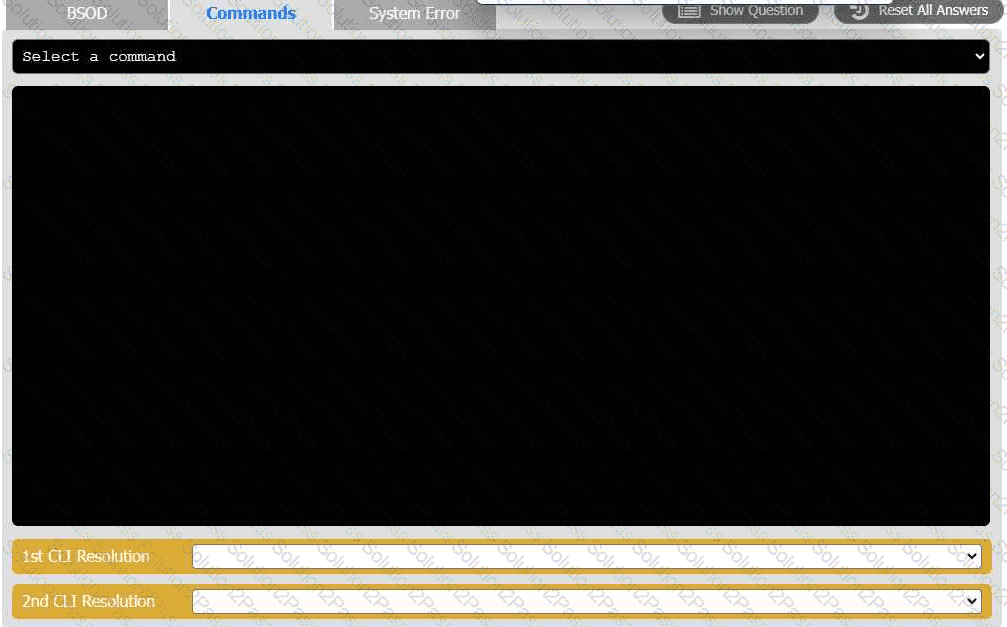
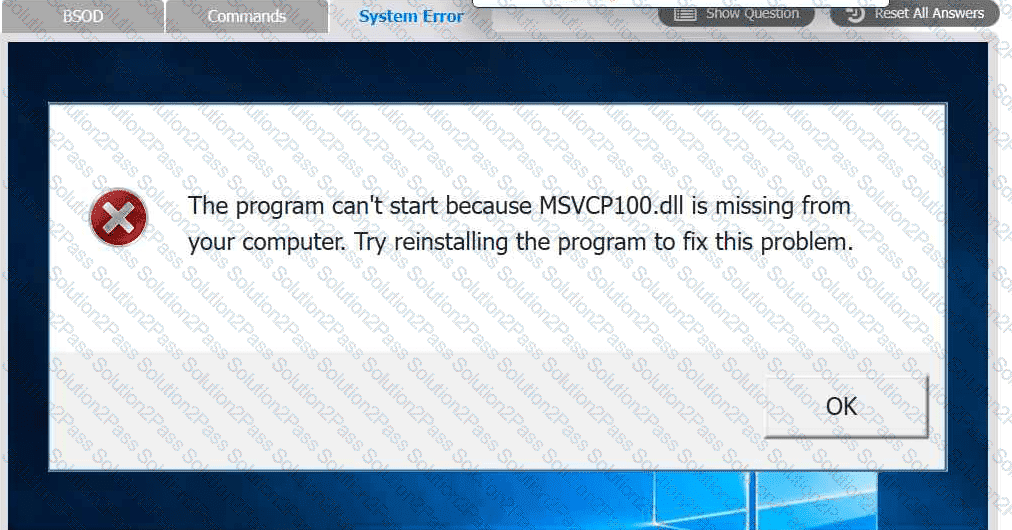
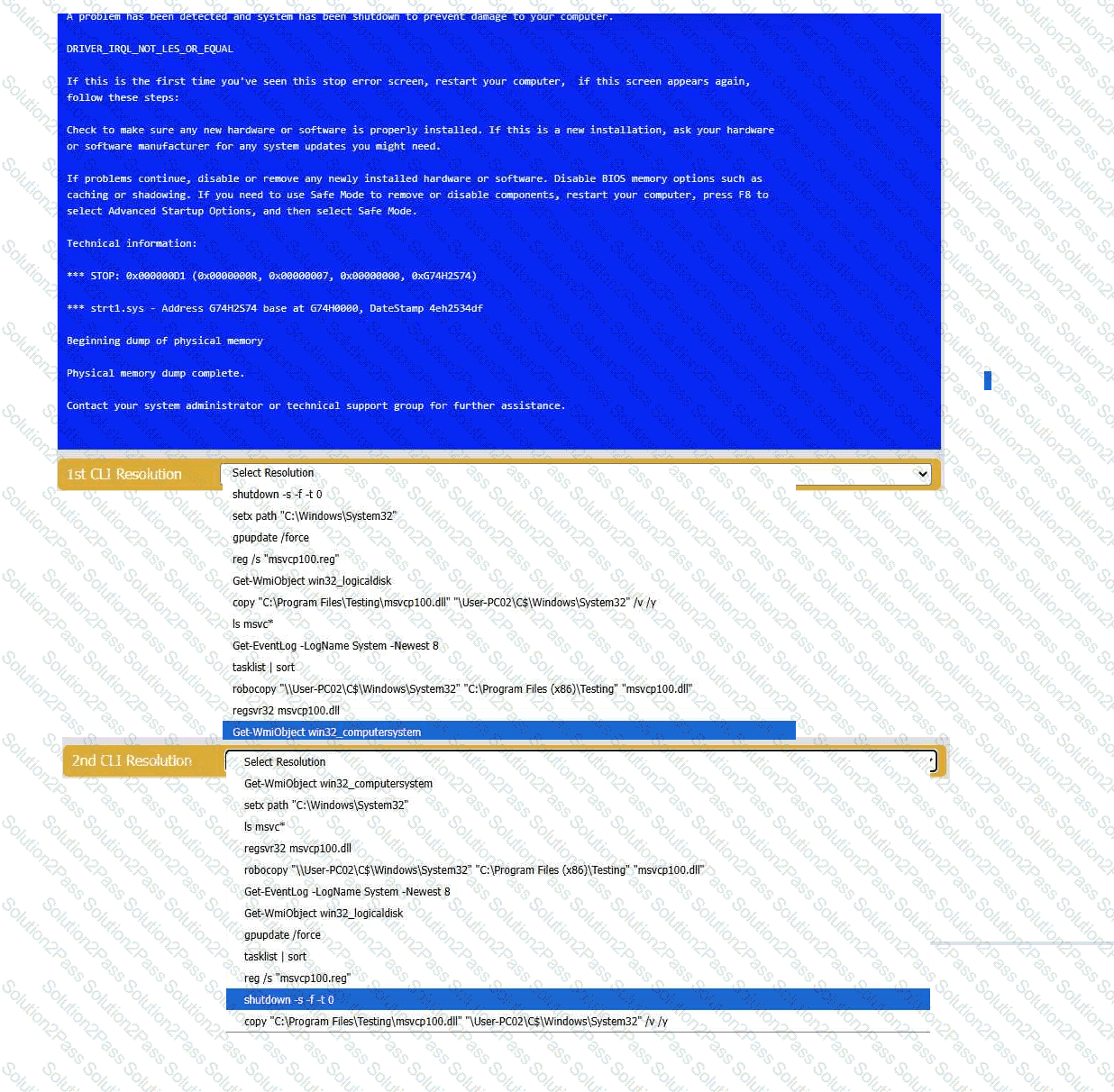
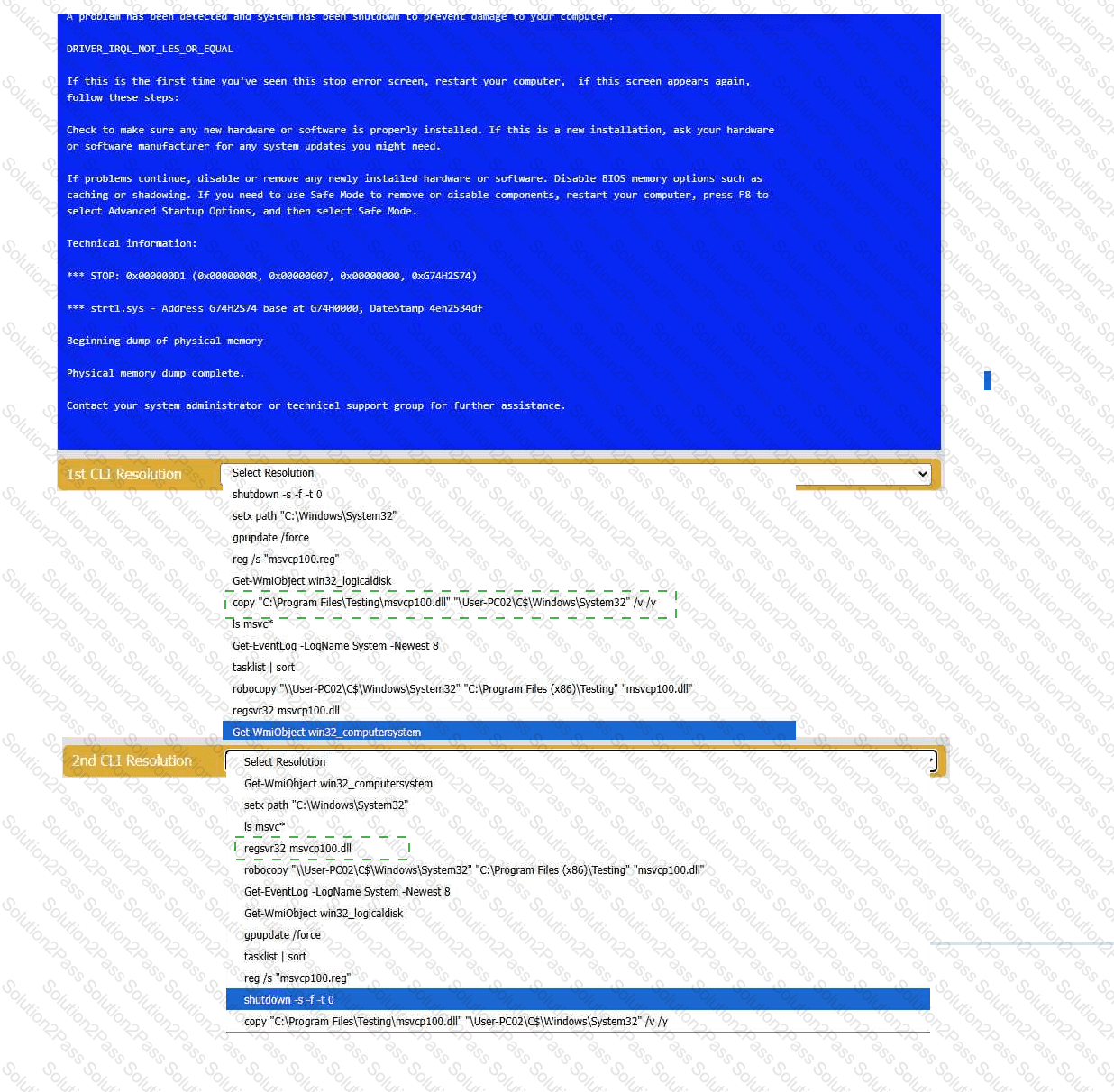
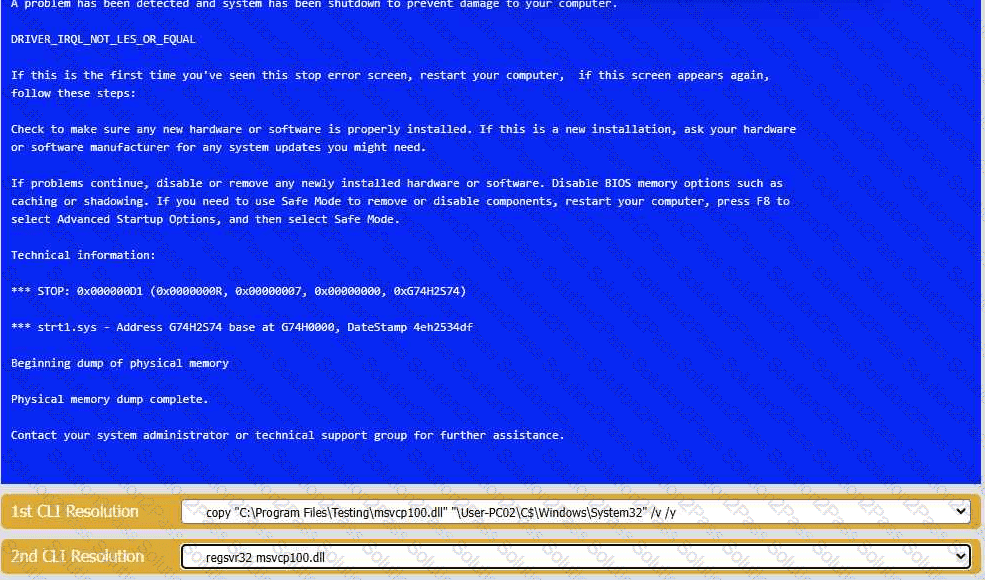
A user reports that after a recent software deployment to upgrade the Testing application, they can no longer use it. However, other employees can successfully
use the Testing program.
INSTRUCTIONS
Review the information in each tab to verify the results of the deployment and resolve
any issues discovered by selecting the:
· First command to resolve the issue
· Second command to resolve the issue
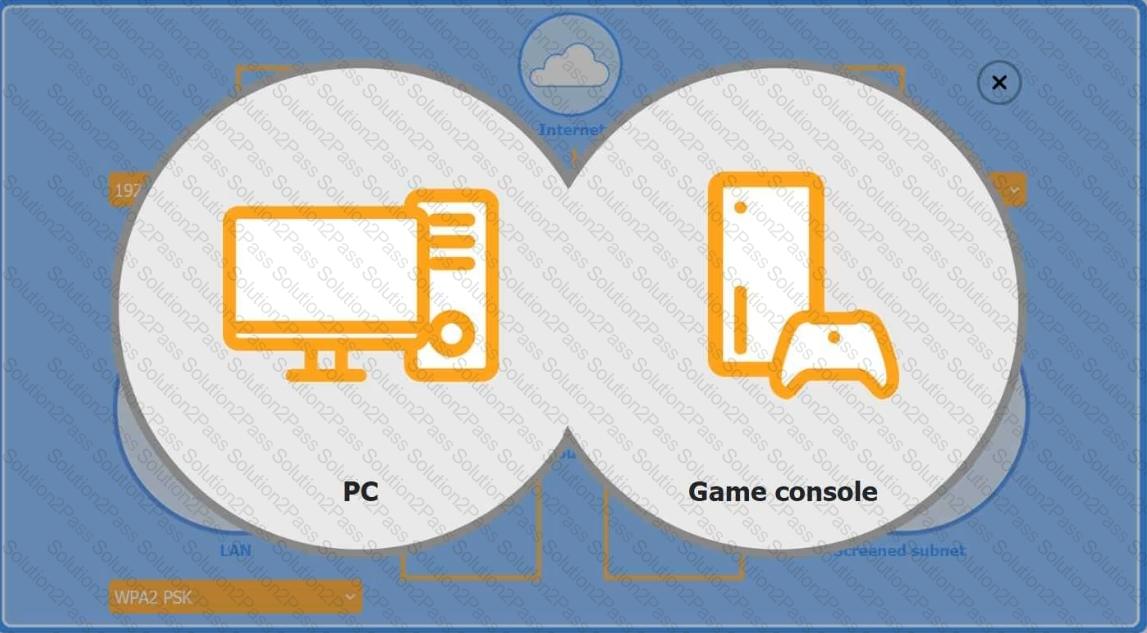
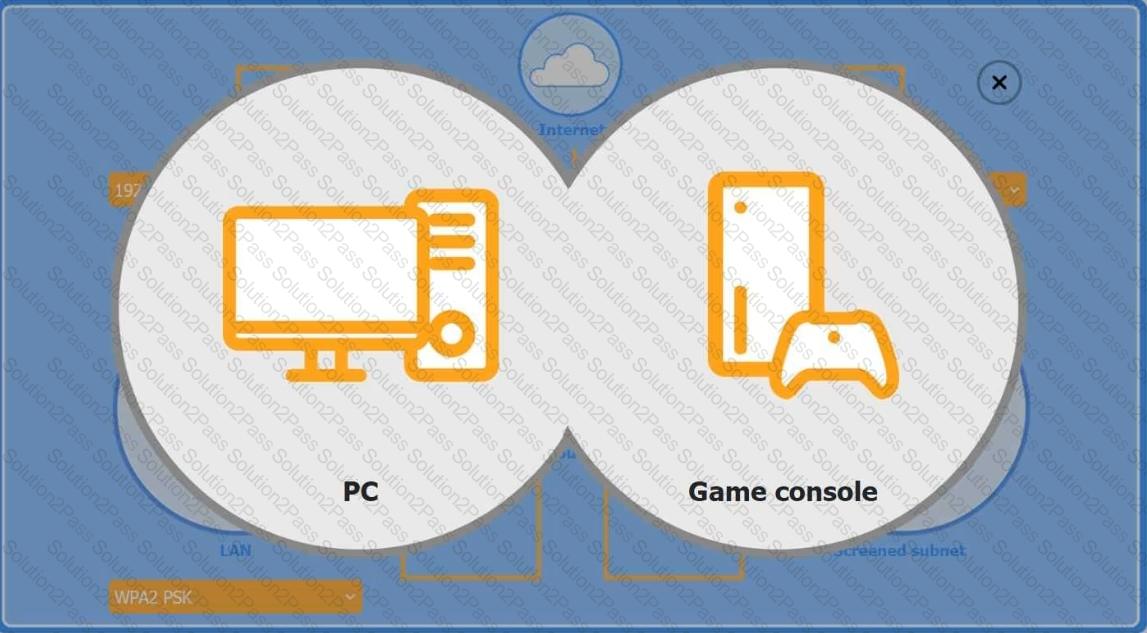
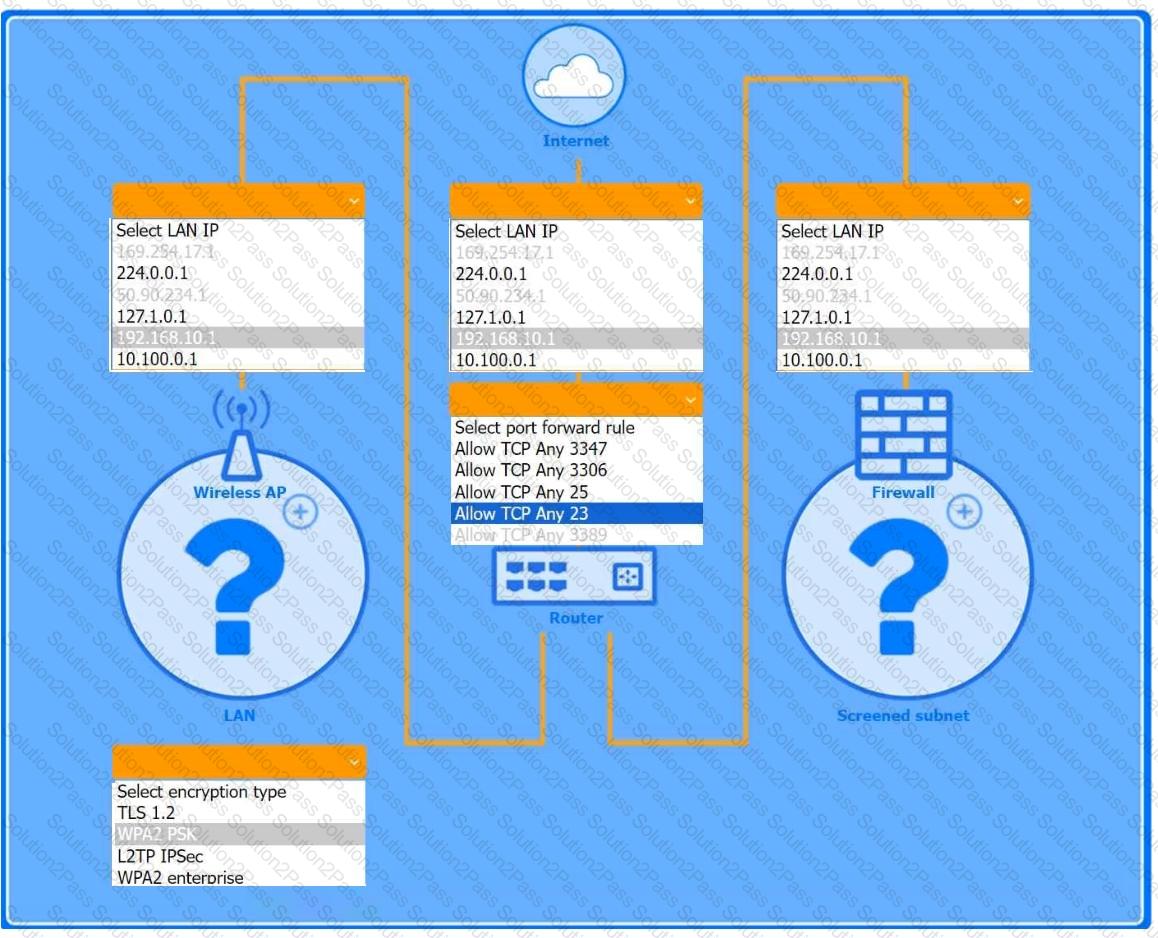
You are configuring a home network for a customer. The customer has requested the ability to access a Windows PC remotely, and needs all chat and optional functions to work in their game console.
INSTRUCTIONS
Use the drop-down menus to complete the network configuration for the customer. Each option may only be used once, and not all options will be used.
Then, click the + sign to place each device in its appropriate location.
If at any time you would like to bring back the initial state of the simulation, please click the Reset All button.
Wireless AP LAN
Firewall Screened Subnet
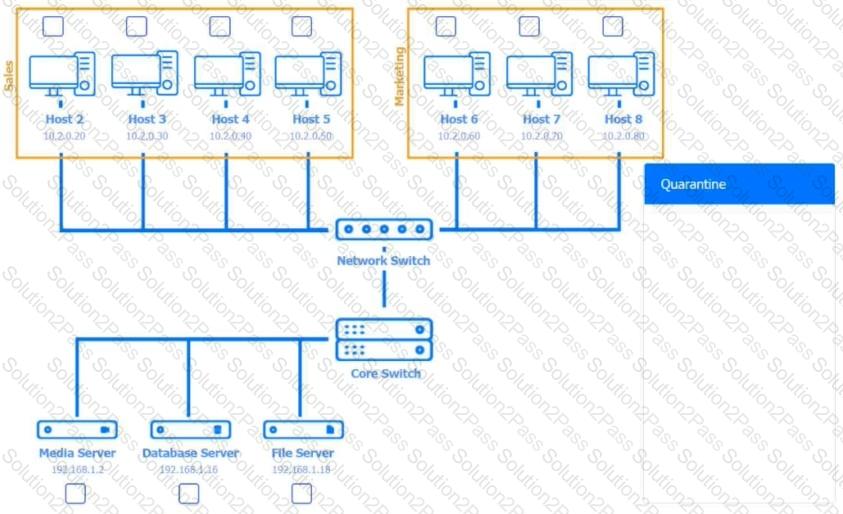
Multiple users are reporting audio issues as well as performance issues after downloading unauthorized software. You have been dispatched to identify and resolve any issues on the network using best practice procedures.
INSTRUCTIONS
Quarantine and configure the appropriate device(s) so that the users’ audio issues are resolved using best practice procedures.
Multiple devices may be selected for quarantine.
Click on a host or server to configure services.
If at any time you would like to bring back the initial state of the simulation, please click the Reset All button.










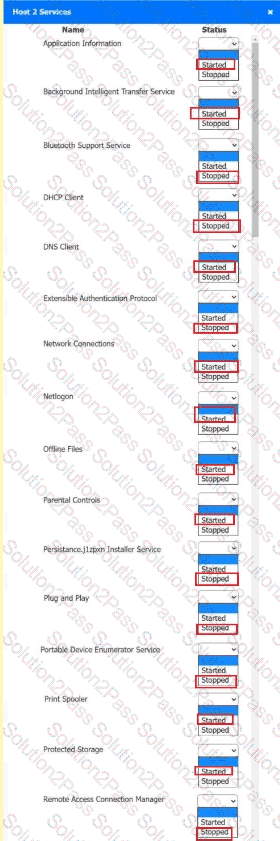 A screenshot of a computer AI-
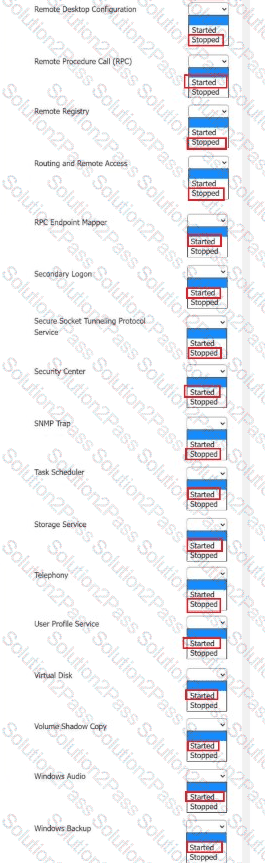 A screenshot of a computer AI-
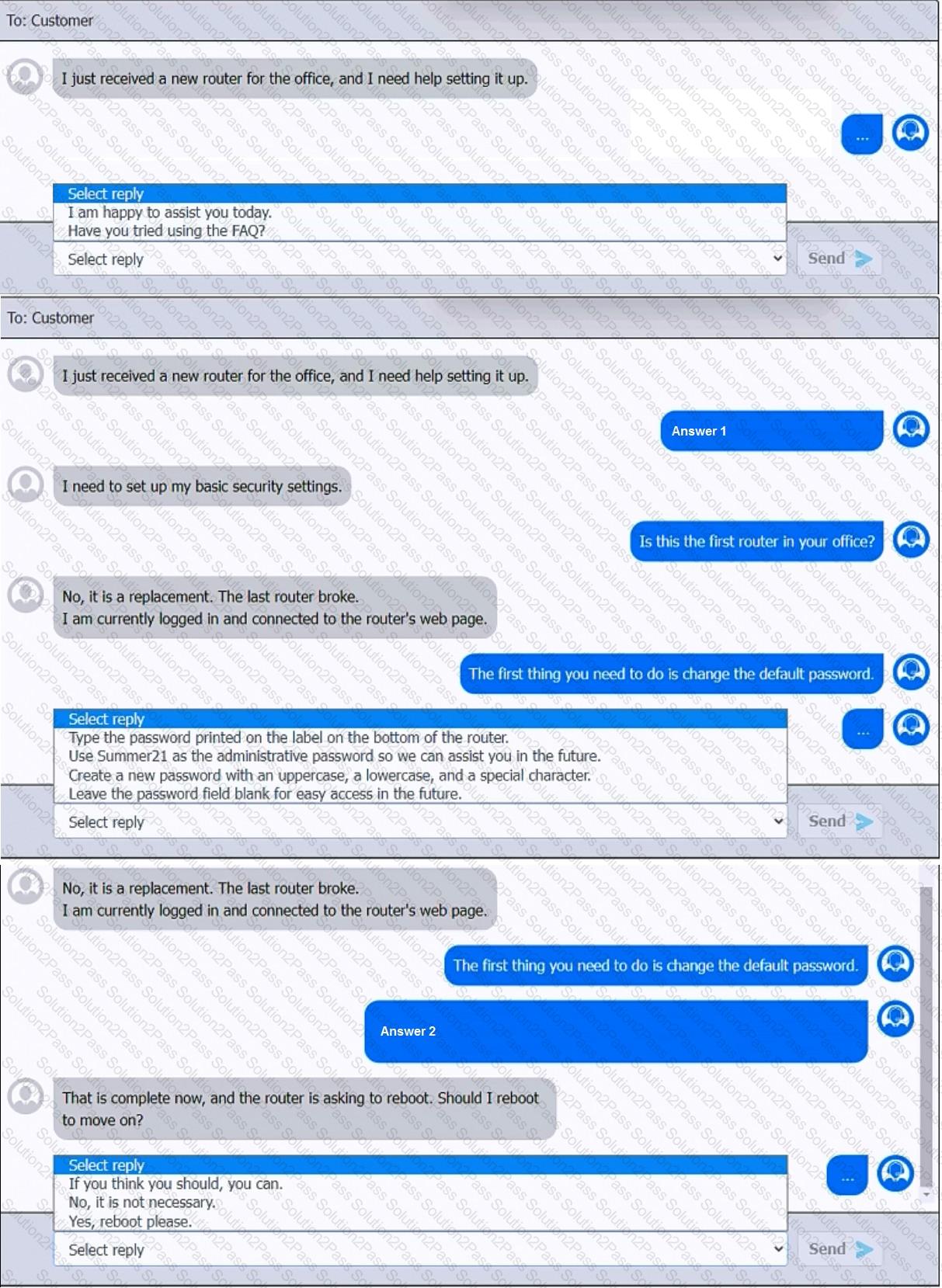
You have been contacted through the help desk chat application. A user is setting up a replacement SOHO router. Assist the user with setting up the router.
INSTRUCTIONS
Select the most appropriate statement for each response. Click the send button after each response to continue the chat.
If at any time you would like to bring back the initial state of the simulation, please click the Reset All button.
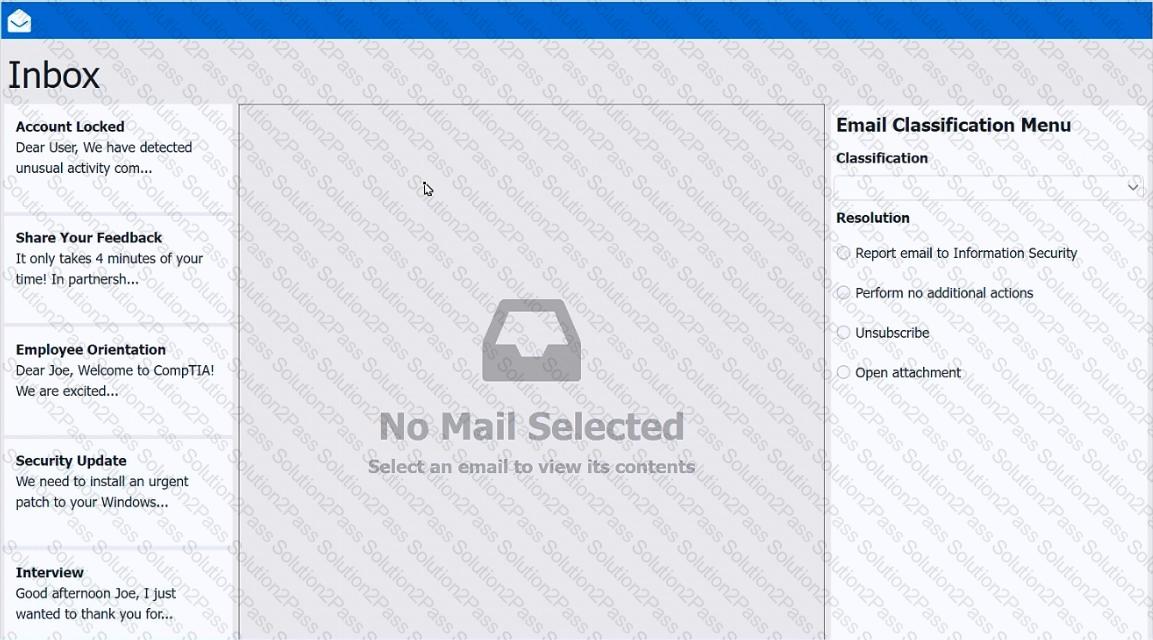
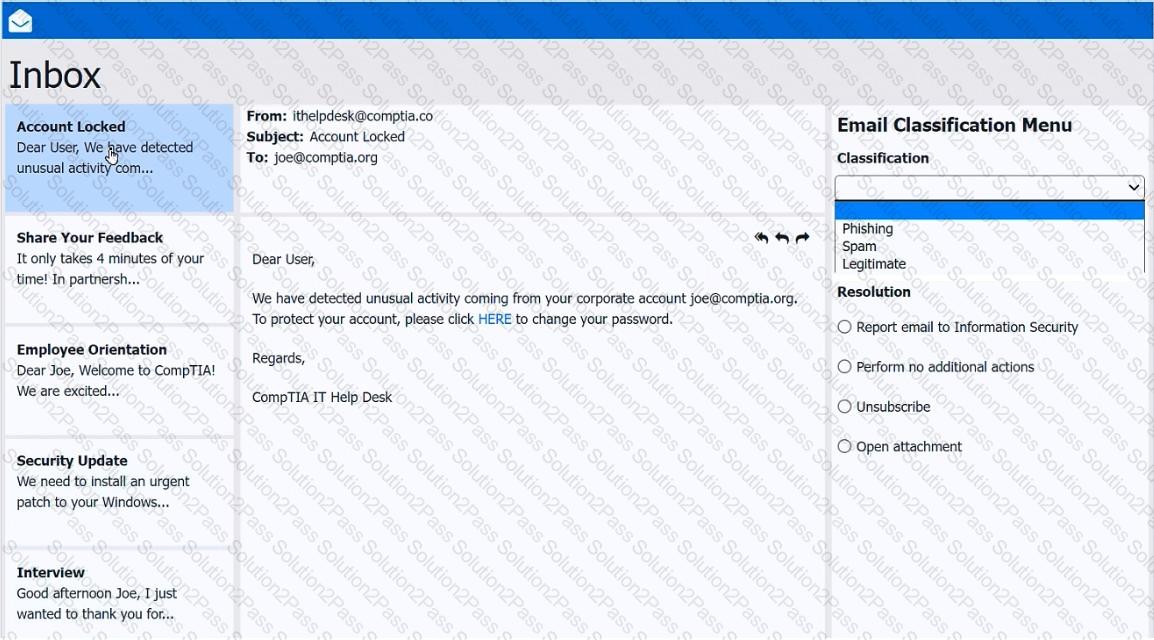
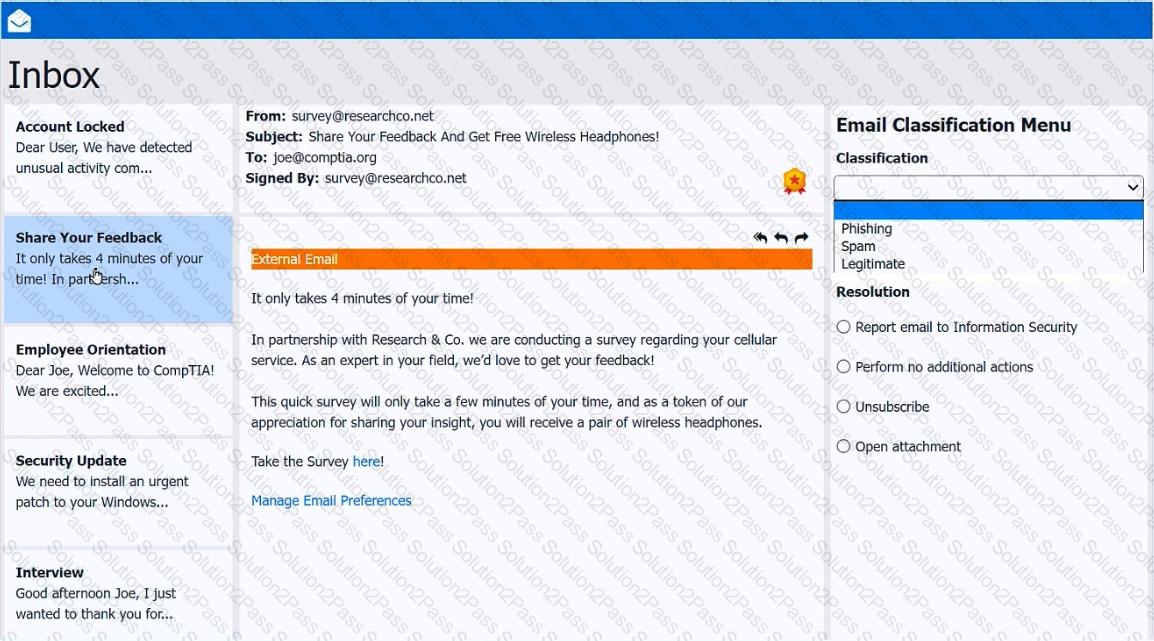
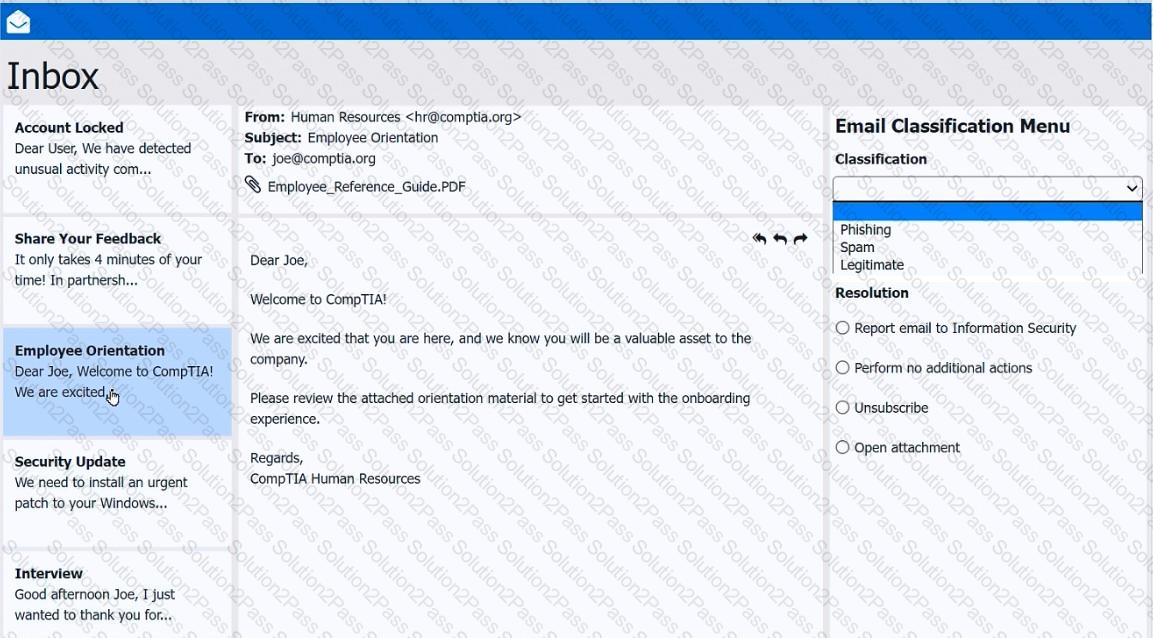
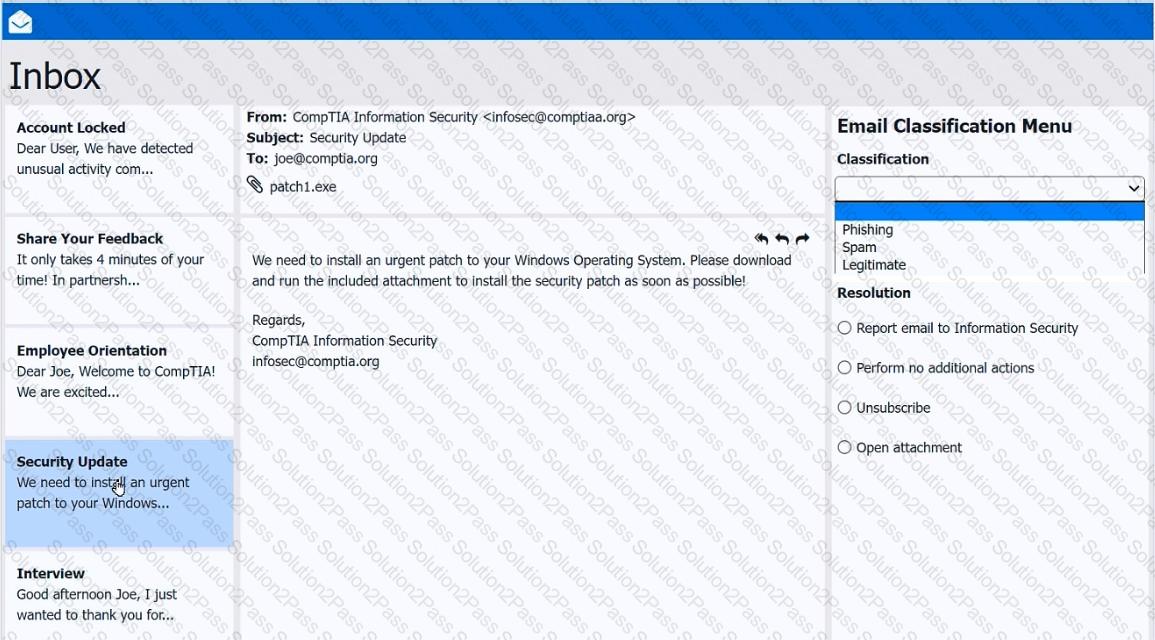
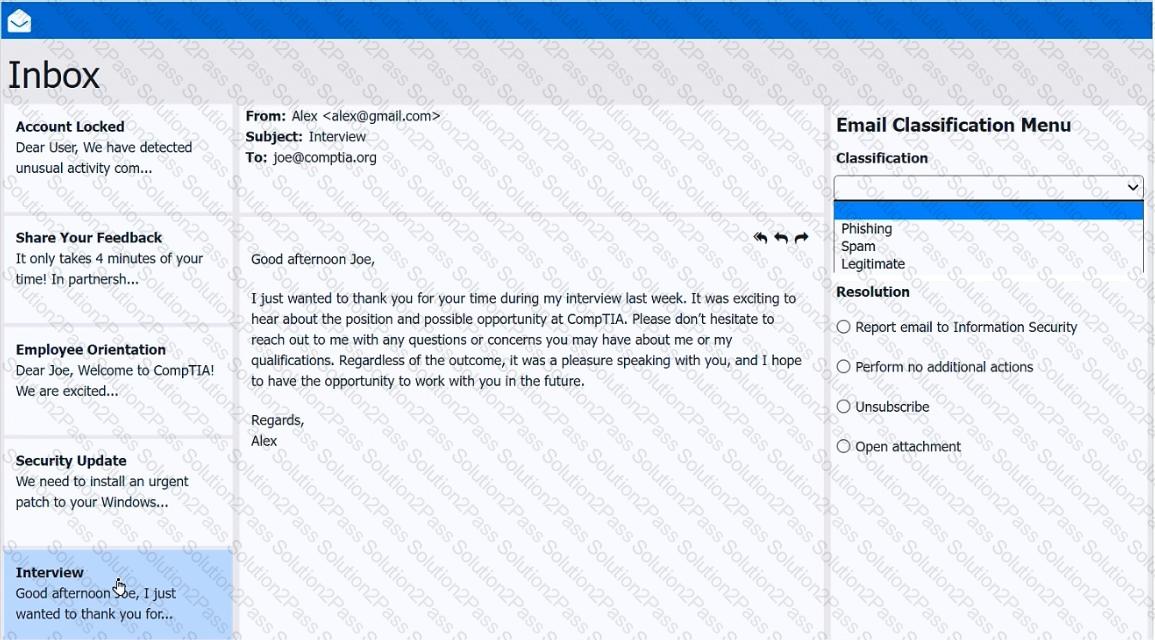
As a corporate technician, you are asked to evaluate several suspect email messages on a client ' s computer. Corporate policy requires the following:
> All phishing attempts must be reported.
> Future spam emails to users must be prevented.
INSTRUCTIONS
Review each email and perform the following within the email:
> Classify the emails
> Identify suspicious items, if applicable, in each email
> Select the appropriate resolution
If at any time you would like to bring back the initial state of the simulation, please click the Reset All button.
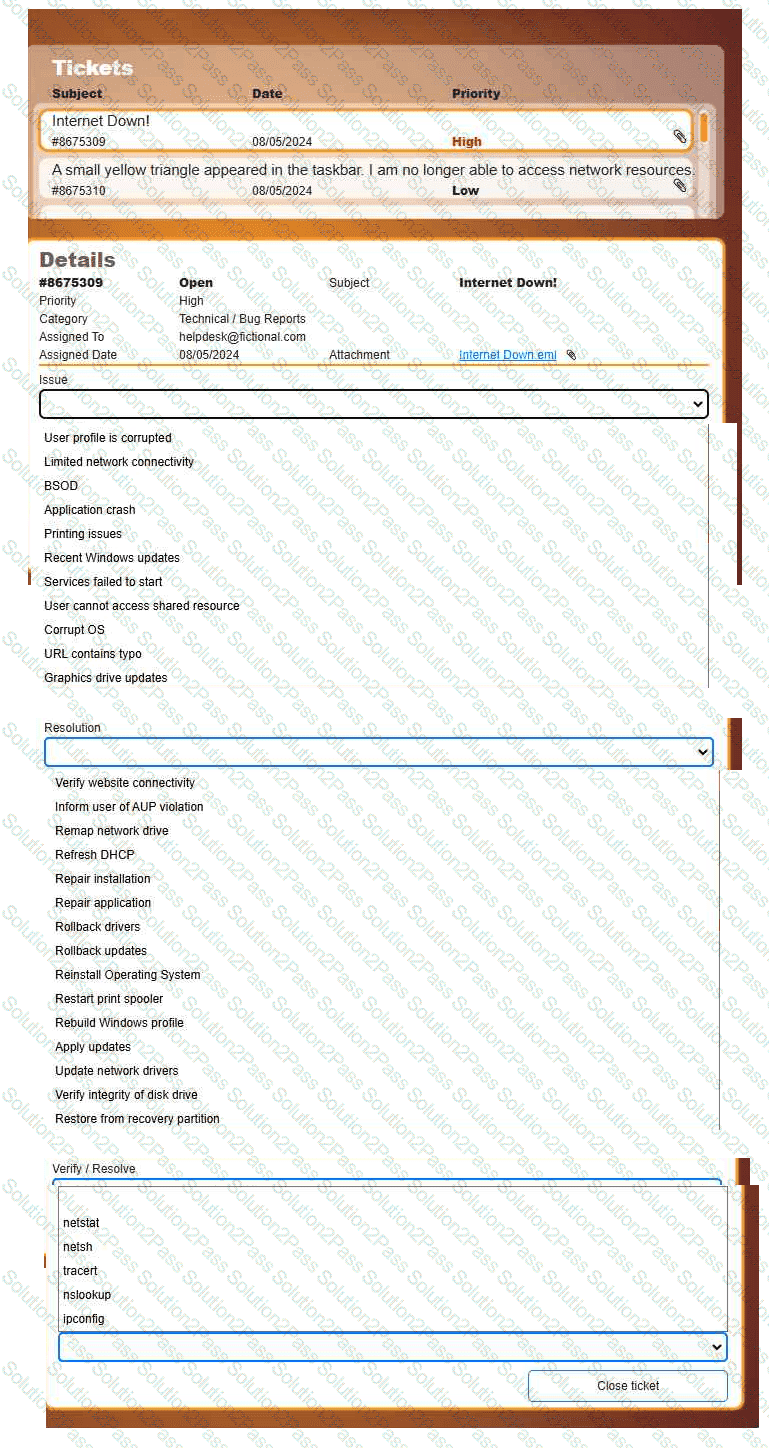
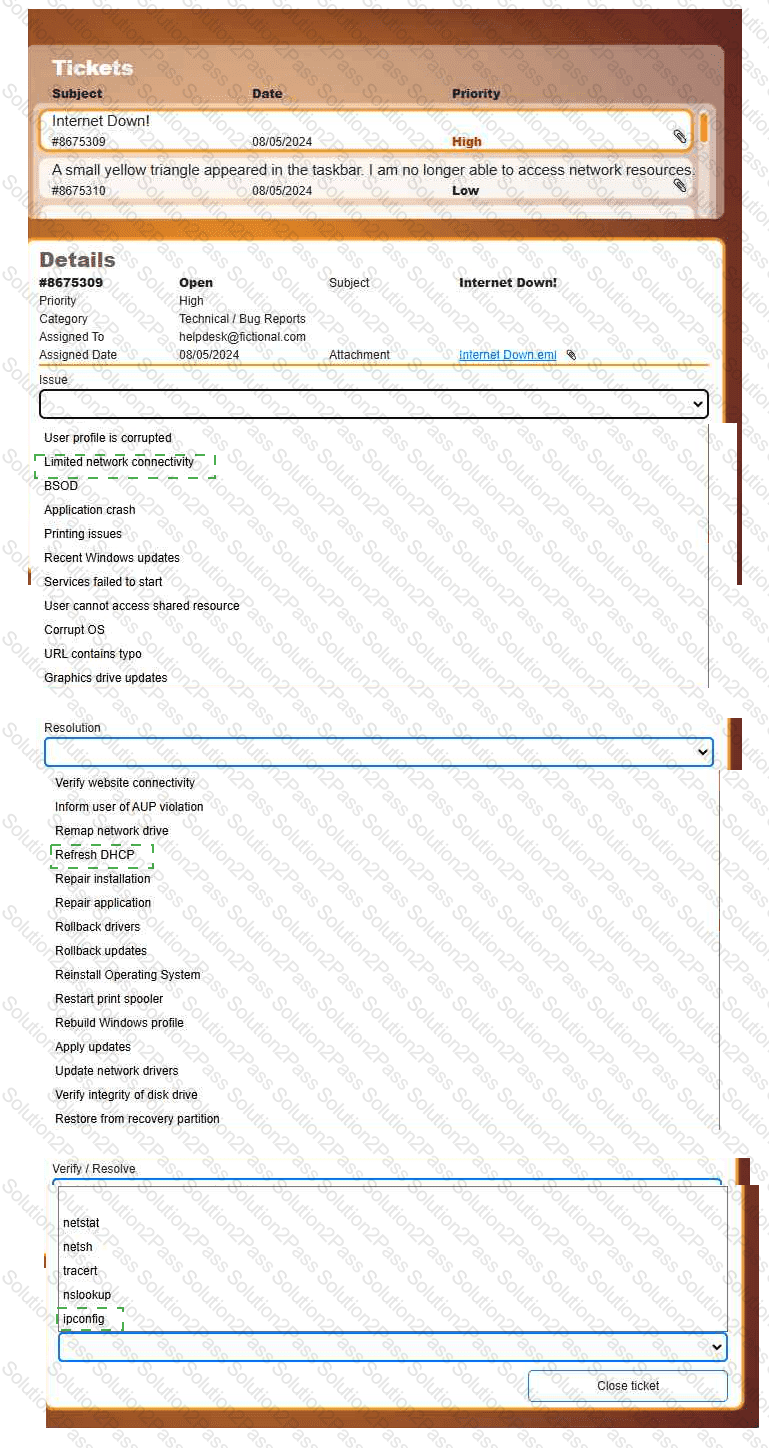
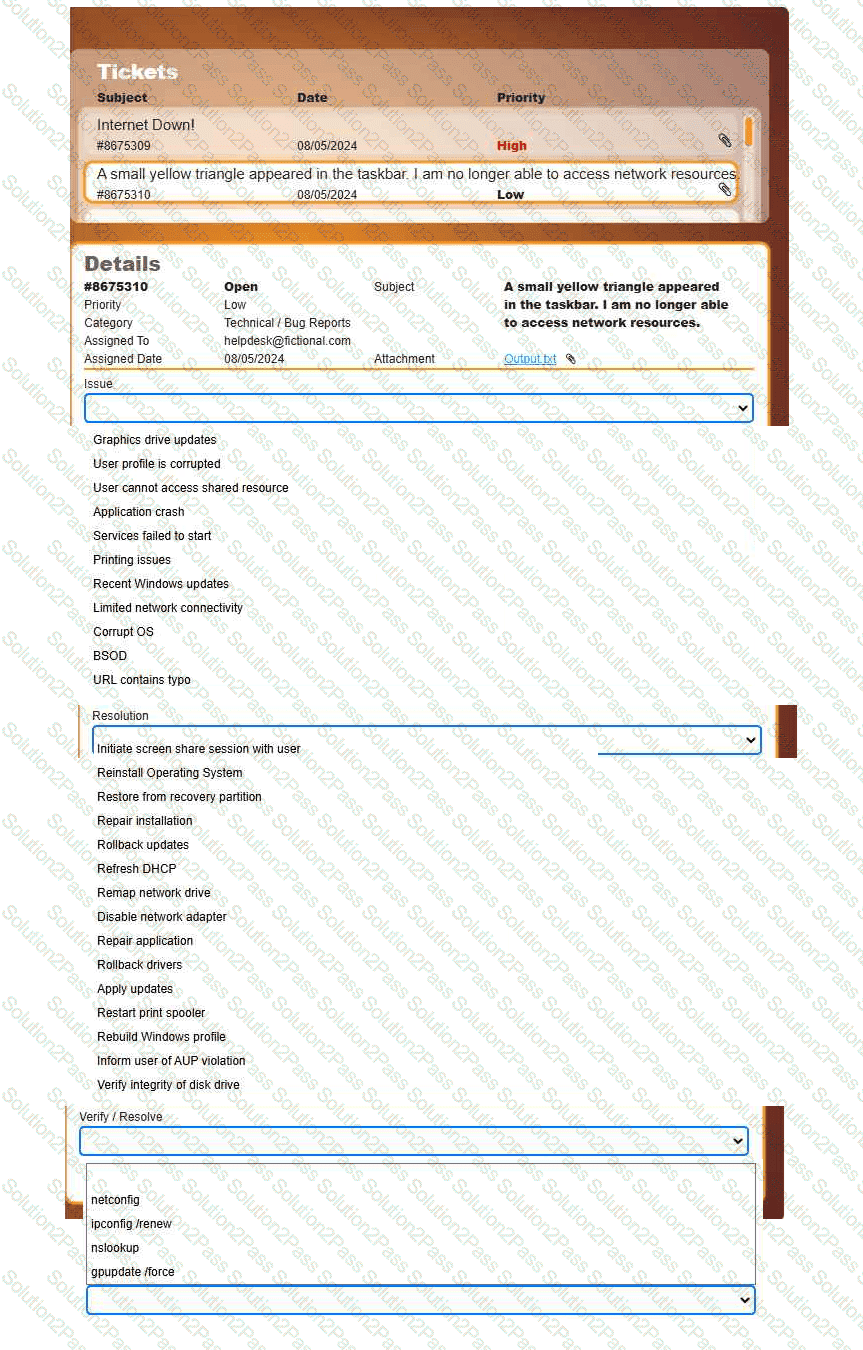
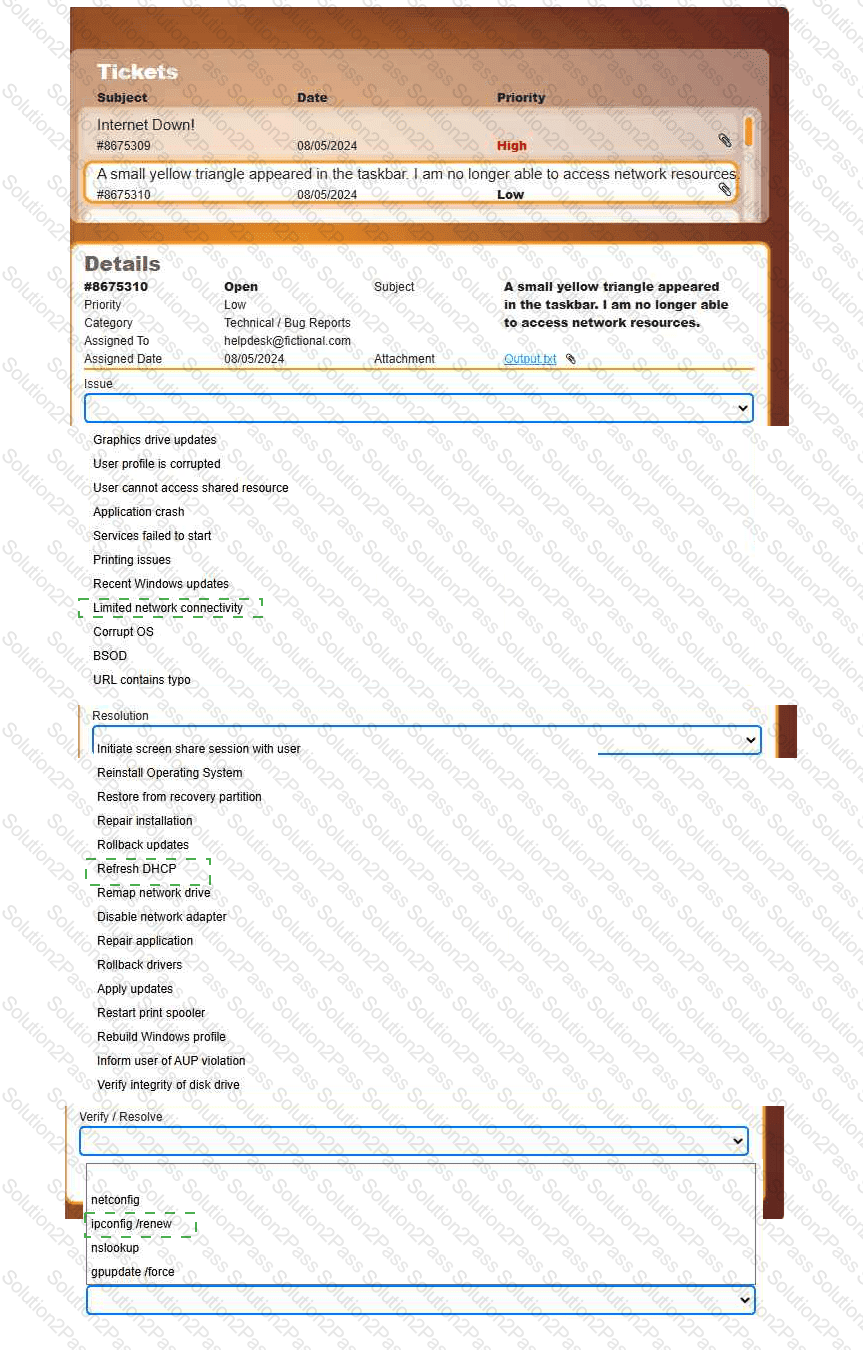
Welcome to your first day as a Fictional Company, LLC helpdesk employee. Please work the tickets in your helpdesk ticket queue.
INSTRUCTIONS
Click on individual tickets to see the ticket details, and view applicable attachments to
determine the problem.
Select the appropriate issue from the ' Issue ' drop-down menu. Then, select the most
efficient resolution from the ' Resolution ' drop-down menu. Finally, select the proper
command or verification to remediate or confirm your fix of the issue from the
' Verify/Resolve ' drop-down menu.
An administrator must rename the administrator account on a Windows desktop. Which tool is best for this?
Which of the following commands can a technician use to view the contents of a single file on a Linux terminal?
Welcome to your first day as a Fictional Company, LLC helpdesk employee. Please work the tickets in your helpdesk ticket queue.
INSTRUCTIONS
Click on individual tickets to see the ticket details, and view applicable attachments to
determine the problem.
Select the appropriate issue from the ' Issue ' drop-down menu. Then, select the most
efficient resolution from the ' Resolution ' drop-down menu. Finally, select the proper
command or verification to remediate or confirm your fix of the issue from the
' Verify/Resolve ' drop-down menu.
A user is unable to use the latest version of an app on a legacy tablet. What is the most likely reason?
A user reports that double-clicking an application ' s shortcut fails to launch the program. A technician believes the application process is running in the background in an unresponsive state. Which of the following tools should the technician use to resolve the issue?
Multiple users clicked a phishing link from a compromised email account. The security team isolates and removes the threat. Then, the management team provides security awareness training to the company. What step is this?
A help desk technician needs to remove RAM from retired workstations and upgrade other workstations that have applications that use more memory with this RAM. Which of the following actions would the technician most likely take?
A technician wants to change the desktop background image on a machine. Which of the following settings should the technician access to make this change?
A user is renaming a .txt file to a .xml file. After renaming the file, Windows Explorer shows the filename as Document….xml. However, the document properties show the type of file as Text Document (.txt). Which of the following controls enables the user to correctly change the file type?
A user calls the help desk to report an issue with their smartphone. After the user returns from a business trip, the user is no longer able to access email or visit websites without a Wi-Fi connection on the smartphone. Which of the following would the user do to most likely resolve the issue?
A project team needs special access on a shared repository to add new content, edit existing content, and prevent content deletion. Which of the following should an administrator do to configure this setup with the least amount of effort?
A user is trying to install a preferred word processor on their work laptop, but the installation fails each time. Which of the following is most likely the cause of this failure?
A user reports that the time on their computer does not match the time on their VoIP phone. What should a technician do?
An administrator applies security controls to a workstation that will provide protection from a brute-force attack against the user account. Which of the following actions should the administrator take?