D-AV-DY-23 DELL EMC Dell Avamar Deploy 2023 Exam Free Practice Exam Questions (2026 Updated)
Prepare effectively for your DELL EMC D-AV-DY-23 Dell Avamar Deploy 2023 Exam certification with our extensive collection of free, high-quality practice questions. Each question is designed to mirror the actual exam format and objectives, complete with comprehensive answers and detailed explanations. Our materials are regularly updated for 2026, ensuring you have the most current resources to build confidence and succeed on your first attempt.
Which level of data can be restored using Dell Avamar?
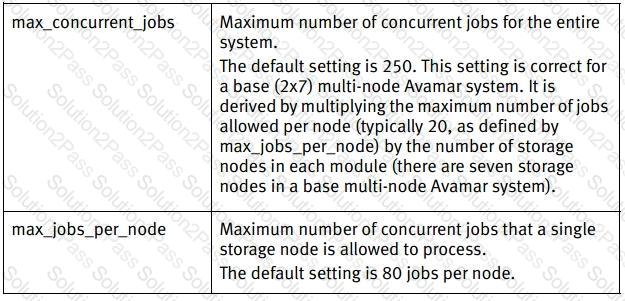
How many total concurrent backup jobs can be run on an Dell Avamar server?
 D:\Documents and Settings\useralbo\Desktop\1.jpg
 D:\Documents and Settings\useralbo\Desktop\1.jpg
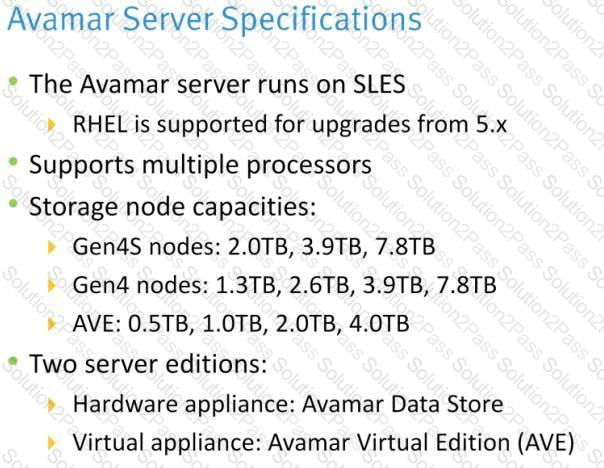
Which type of Dell Avamar Gen4S node supports SAS drives?
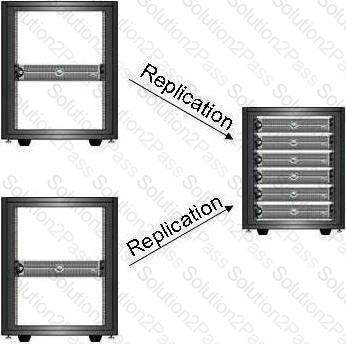
Based on the configuration represented in the exhibit, which type(s) of Dell Avamar replication can be used?
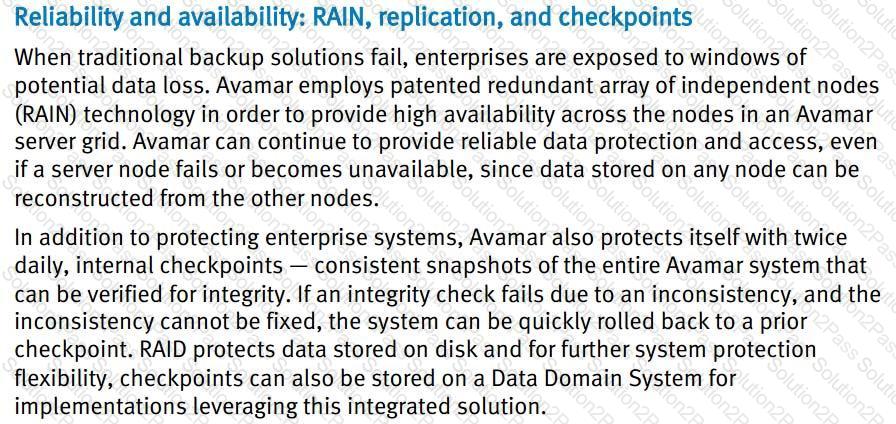
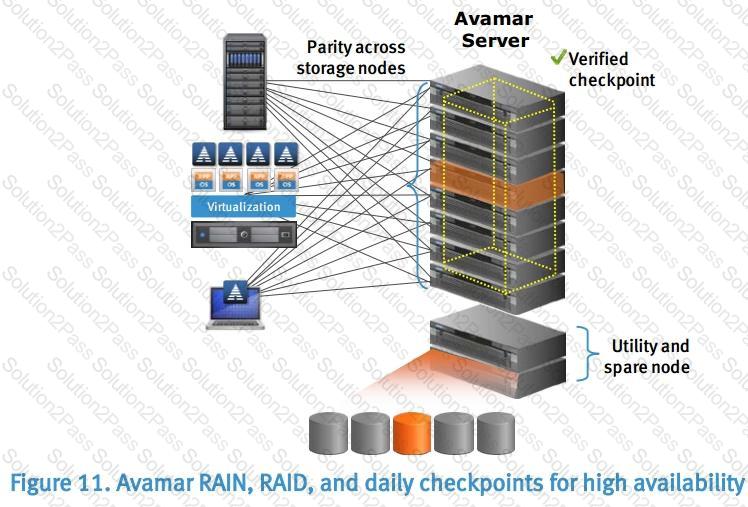
A storage node in a multi-node Dell Avamar server has failed, and a full node replacement is being performed.
What is used to reconstruct the data on the replacement node?
 D:\Documents and Settings\useralbo\Desktop\1.jpg
 D:\Documents and Settings\useralbo\Desktop\1.jpg
A multi-node Dell Avamar server is backing up clients worldwide. What must the storage administrator keep in mind to help ensure that backup schedules do not conflict with the Avamar server blackout window?
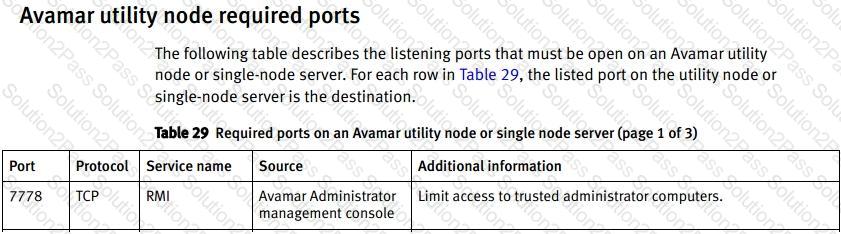
A customer is unable to connect to their Dell Avamar server when using the Avamar Administrator GUI. If default settings are being used, which port must be open for a successful connection?
 D:\Documents and Settings\useralbo\Desktop\1.jpg
Refer to the exhibit.
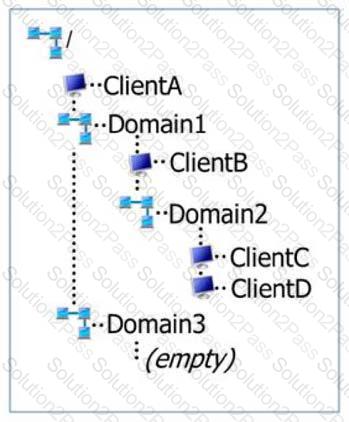
Shown is a diagram of the domain structure of an Dell Avamar server. How does this domain structure deviate from best practices?
A company is using an Dell Avamar multi-node server with 2 TB storage nodes. The company wants to add 3 TB of Avamar storage to the multi-node server.
How can this be achieved?
 D:\Documents and Settings\useralbo\Desktop\1.jpg
 D:\Documents and Settings\useralbo\Desktop\1.jpg
You are checking the network cabling on a multi-node Dell Avamar Gen4 Data Store. Which port should be used to connect the utility node to the first switch?
