Summer Sale Special - Limited Time 70% Discount Offer - Ends in 0d 00h 00m 00s - Coupon code: xmaspas7

Easiest Solution 2 Pass Your Certification Exams

MD-102 Microsoft Endpoint Administrator Free Practice Exam Questions (2026 Updated)

Prepare effectively for your Microsoft MD-102 Endpoint Administrator certification with our extensive collection of free, high-quality practice questions. Each question is designed to mirror the actual exam format and objectives, complete with comprehensive answers and detailed explanations. Our materials are regularly updated for 2026, ensuring you have the most current resources to build confidence and succeed on your first attempt.

Page: 3 / 3
Total 392 questions

You need to prepare for the deployment of the Phoenix office computers.

What should you do first?

A.

Generalize the computers and configure the Mobility (MDM and MAM) settings from the Azure Active Directory admin center.

B.

Extract the hardware ID information of each computer to a CSV file and upload the file from the Microsoft Intune blade in the Azure portal.

C.

Extract the hardware ID information of each computer to an XML file and upload the file from the Devices settings in Microsoft Store for Business.

D.

Extract the serial number information of each computer to a CSV file and upload the file from the Microsoft Intune blade in the Azure portal.

You need to meet the technical requirements for the iOS devices.

Which object should you create in Intune?

A.

A compliance policy

B.

An app protection policy

C.

A Deployment profile

D.

A device configuration profile

You need to resolve the performance issues in the Los Angeles office.

How should you configure the update settings? To answer, select the appropriate options in the answer area.

NOTE: Each correct selection is worth one point.
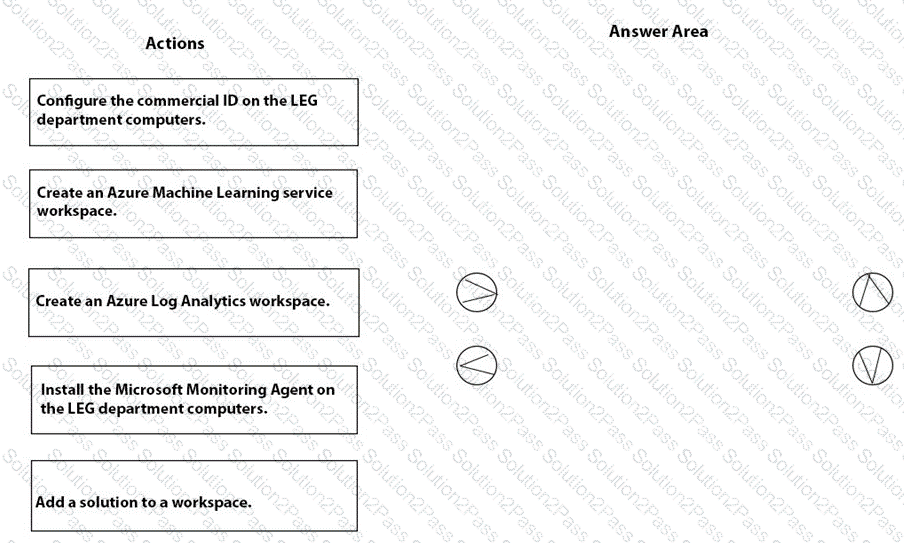
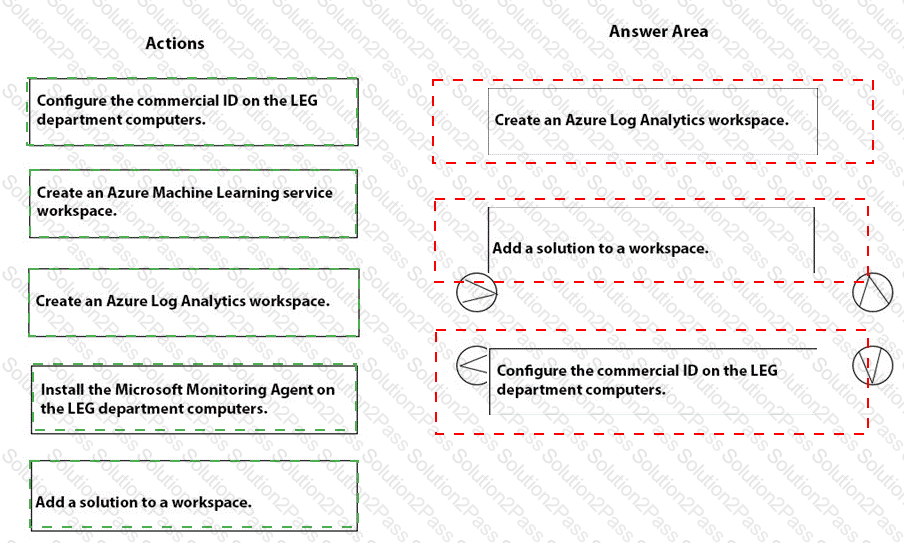
You need to recommend a solution to meet the device management requirements.

What should you include in the recommendation? To answer, select the appropriate options in the answer area.

NOTE: Each correct selection is worth one point.
You need to meet the OOBE requirements for Windows AutoPilot.

Which two settings should you configure from the Azure Active Directory blade? To answer, select the appropriate settings in the answer area.

NOTE: Each correct selection is worth one point.

You need to capture the required information for the sales department computers to meet the technical

requirements.

Which Windows PowerShell command should you run first?

A.

Install-Module WindowsAutoPilotIntune

B.

Install-Script Get-WindowsAutoPilotInfo

C.

Import-AutoPilotCSV

D.

Get-WindowsAutoPilotInfo

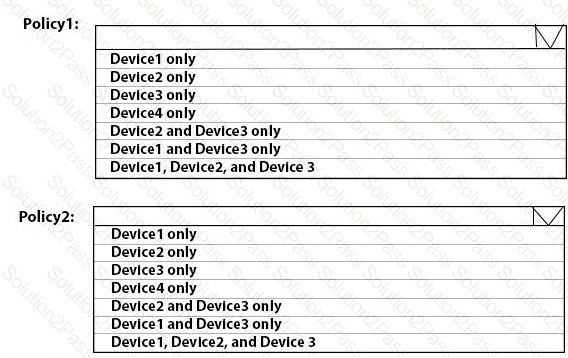
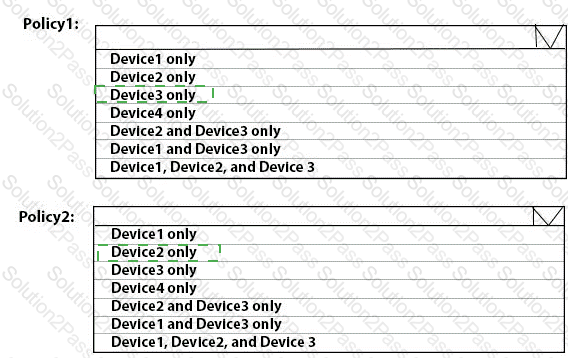
You have two computers that run Windows 10. The computers are enrolled in Microsoft Intune as shown in the following table.

Windows 10 update rings are defined in Intune as shown in the following table.

You assign the update rings as shown in the following table.

What is the effect of the configurations on Computer1 and Computer2? To answer, select the appropriate options in the answer area.

NOTE: Each correct selection is worth one point.
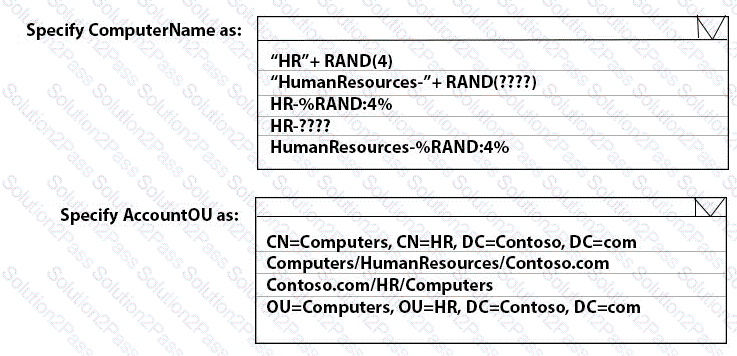
You have a Microsoft 365 subscription that has Windows 365 Enterprise licenses.

You plan to use a custom Windows 11 image as a template for Cloud PCs.

You have a Hyper-V virtual machine that runs Windows 11 and has the following configurations:

• Name: VM1

• Disk size: 64 GB

• Disk format: VHDX

• Disk type: Fixed size

• Generation: Generation 2

You need to ensure that you can use VM1 as a source for the custom image. What should you do on VM1 first?

A.

Change the disk type to Dynamically expanding

B.

Change the disk format to the VHD

C.

Change the generation to Generation 1.

D.

Increase the disk size.

You have devices that are not rooted enrolled in Microsoft Intune as shown in the following table.

The devices are members of a group named Group1.

In Intune, you create a device compliance location that has the following configurations:

• Name: Network1

• IPv4 range: 192.168.0.0/16

In Intune. you create a device compliance policy for the Android platform. The policy has the following configurations:

• Name: Policy1

• Device health: Rooted devices: Block

• Locations: Location: Network1

• Mark device noncompliant: Immediately

• Assigned: Group1

The Intune device compliance policy has the following configurations:

• Mark devices with no compliance policy assigned as: Compliant

• Enhanced jailbreak detection: Enabled

• Compliance status validity period (days): 20

For each of the following statements, select Yes if the statement is true. Otherwise, select No.

NOTE: Each correct selection is worth one point.

You have an Azure AD tenant named contoso.com.

You have a workgroup computer named Computer! that runs Windows 11.

You need to add Computer1 to contoso.com.

What should you use?

A.

dsreecmd.exe

B.

Computer Management

C.

netdom.exe

D.

the Settings app

You have an on-premises Active Directory domain that syncs to Azure AD tenant.

The tenant contains computers that run Windows 10. The computers are hybrid Azure AD joined and enrolled in Microsoft Intune.

The Microsoft Office settings on the computers are configured by using a Group Policy Object (GPO).

You need to migrate the GPO to Intune.

Which three actions should you perform in sequence? To answer, move the appropriate actions from the list of actions to the answer area and arrange them in the correct order.

Your network contains an Active Directory domain.

The domain contains four computer named Computer 1. Computet2. Computed, and Computer4 that run Windows 10. Vou perform the following actions:

• On Computer1, you install Windows Admin Center and configure Windows Defender Firewall to allow incoming communication over TCP pons 80.443. and 6516.

• On Computed, you run the Enable-PS Remoting cmdlet.

• On Computer 3, you configure Windows Defender firewall to allow Windows Remote Management (WinRM) traffic

• On Computer4, you run the winrm quickconfig command.

You need to manage the computers remotely by using Windows Admin Center.

From which computers can you connect to Windows Admin Center, and which computers can you manage by using Windows Admin Center? To answer, select the appropriate options in the answer area.

NOTE: Each correct selection is worth one point.
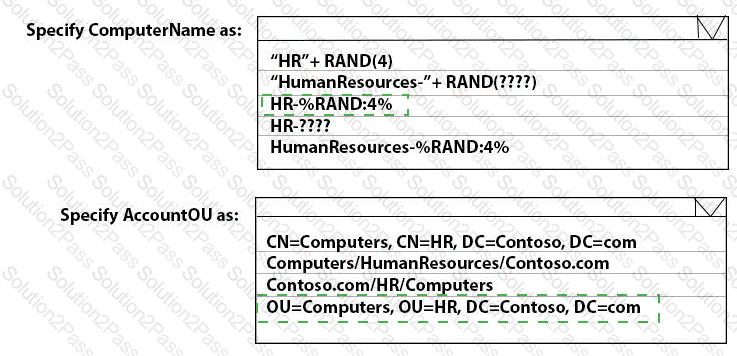
You have 100 computers that run Windows 10.

You plan to deploy Windows 11 to the computers by performing a wipe and load installation.

You need to recommend a method to retain the user settings and the user data.

Which three actions should you recommend be performed in sequence? To answer, move the appropriate actions from the list of actions to th e answer area and arrange them in the correct order.

You have a Microsoft 365 subscription that uses Microsoft Intune Suite. You use Microsoft Intune to manage devices. Azure AD joined Windows devices enroll automatically in Intune. You have the devices shown in the following table.

You are preparing to upgrade the devices to Windows 11. All the devices are compatible with Windows 11.

You need to evaluate Windows Autopilot and in-place upgrade as deployment methods to implement Windows 11 Pro on the devices, while retaining all user settings and applications.

Which devices can be upgraded by using each method? To answer, select the appropriate options in the answer area.

NOTE: Each correct selection is worth one point.
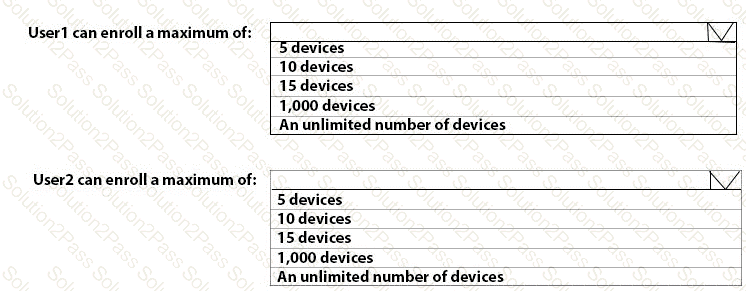
You have a Microsoft 365 E5 subscription that contains the groups shown in the following table.

You create a Conditional Access policy named CAPolicy1 that will block access to Microsoft Exchange Online from iOS devices. You assign CAPolicy1 to Group1.

You discover that User1 can still connect to Exchange Online from an iOS device.

You need to ensure that CAPolicy1 is enforced.

What should you do?

A.

Configure a new terms of use (TOU).

B.

Assign CAPolicy1 to Group2.

C.

Enable CAPolicy1

D.

Add a condition in CAPolicy1 to filter for devices.

You have a Microsoft 365 E5 subscription. The subscription contains 25 computers that run Windows 11 and are enrolled in Microsoft Intune. You need to onboard the devices to Microsoft Defender for Endpoint. What should you create in the Microsoft Intune admin center?

A.

an attack surface reduction (ASR) policy

B.

a security baseline

C.

an endpoint detection and response (EDR) policy

D.

an account protection policy

E.

an antivirus policy

Note: This section contains one or more sets of questions with the same scenario and problem. Each question presents a unique solution to the problem. You must determine whether the solution meets the stated goals. More than one solution in the set might solve the problem. It is also possible that none of the solutions in the set solve the problem.

After you answer a question in this section, you will NOT be able to return. As a result, these questions do not appear on the Review Screen.

You have a Microsoft 365 E5 subscription. The subscription contains devices that are Microsoft Entra joined and enrolled in Microsoft Intune.

You create a user named User1.

You need to ensure that User1 can rotate BitLocker recovery keys by using Intune.

Solution: From the Microsoft Entra admin center, you assign the Cloud Device Administrator role to User1.

Does this meet the goal?

A.

Yes

B.

No

You have a Microsoft 365 E5 subscription that contains a user named User1.

You need to perform the following tasks for User1:

Set the Usage location to Canada.

Configure the Phone and Email authentication contact info for self-service password reset (SSPR).

Which two settings should you configure in the Azure Active Directory admin center? To answer, select the appropriate settings in the answer area.

NOTE: Each correct selection is worth one point.

You have a Microsoft 365 E5 subscription that contains devices enrolled in Microsoft Intune.

You plan to use Device query to provide on-demand information about the state of the devices. The solution must minimize costs. What should you do first?

A.

Onboard the devices to Endpoint analytics.

B.

Purchase the Intune Advanced Analytics add-on.

C.

Use the Collect diagnostics remote action.

D.

Purchase the Intune Suite add-on.

You have an Azure AD tenant named contoso.com that contains the devices shown in the following table.

AH devices contain an app named App1 and are enrolled in Microsoft Intune.

You need to prevent users from copying data from App1 and pasting the data into other apps.

Which type of policy and how many policies should you create in Intune? To answer, select the appropriate options in the answer area.

NOTE: Each correct selection is worth one point.
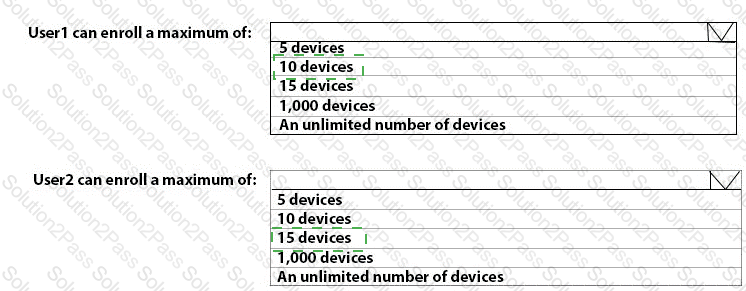
Page: 3 / 3
Total 392 questions
Copyright © 2014-2026 Solution2Pass. All Rights Reserved