Analytics-DA-201 Salesforce Certified Tableau Data Analyst Free Practice Exam Questions (2026 Updated)
Prepare effectively for your Salesforce Analytics-DA-201 Salesforce Certified Tableau Data Analyst certification with our extensive collection of free, high-quality practice questions. Each question is designed to mirror the actual exam format and objectives, complete with comprehensive answers and detailed explanations. Our materials are regularly updated for 2026, ensuring you have the most current resources to build confidence and succeed on your first attempt.
A Data Analyst is creating a new data source made up of multiple tables and decides to use relationships during the creation process.
What is the advantage of using a relationship?
When using the INCLUDE Level of Detail (LOD) calculation, where should the dimension referenced by the INCLUDE function be located on the sheet?
You want to create the following dashboard that will contain two sheets.
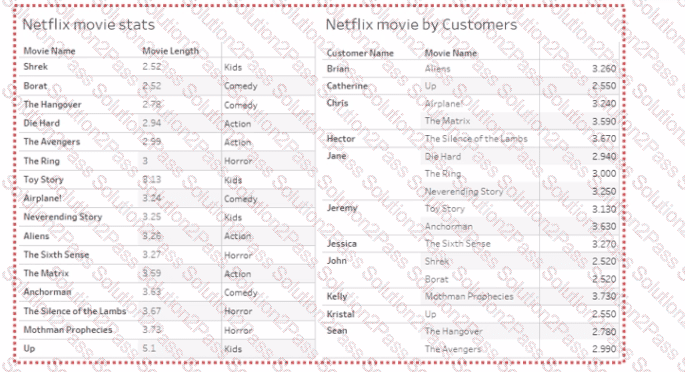
What should you do?
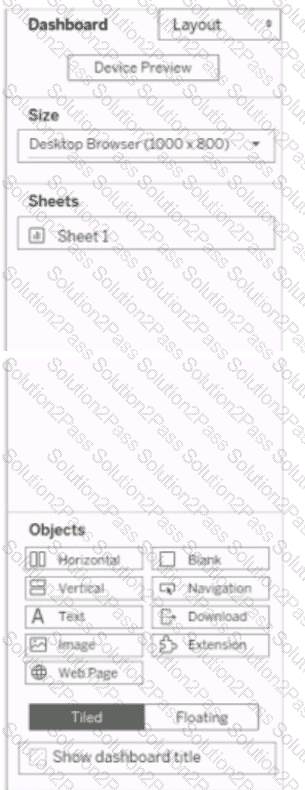
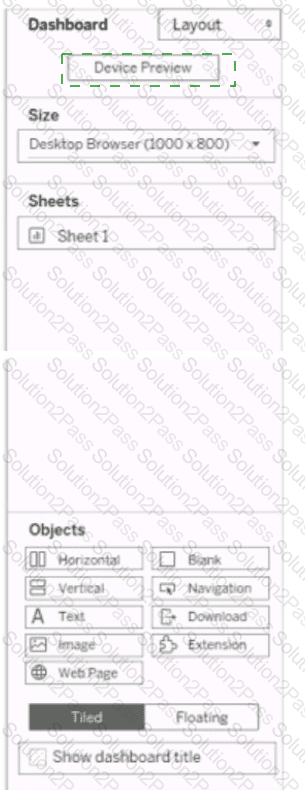
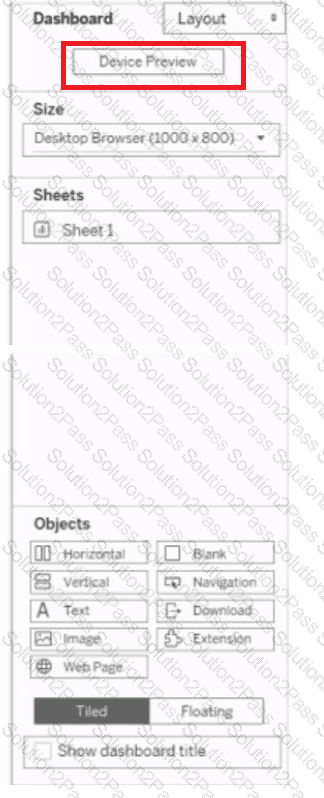
You have a dashboard that is configured for desktop browsers.
You want to customize a layout for mobile users.
Which option should you select first? (Click the appropriate Option in the Answer Area.)
A Data Analyst needs to create a dashboard to show sales rep revenue tracking against goals. The revenue data source has already been published to the corporate Tableau site. The goals data is stored in a Microsoft Excel file and must be updated on a regular basis by the sales managers.
How should the analyst set up the data sources to meet these requirements?
You have the following dataset:
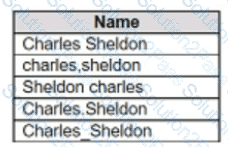
Which grouping option should you use in Tableau Prep to group all five names automatically?
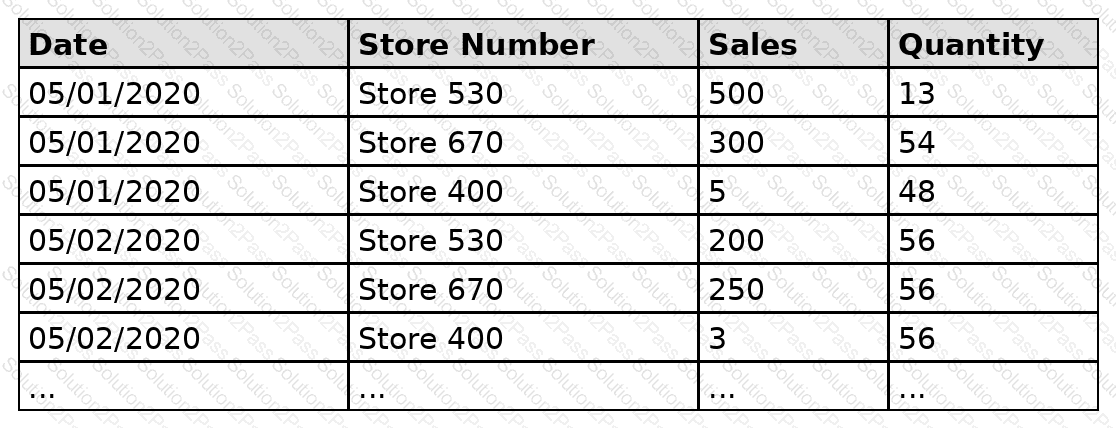
A Data Analyst has the following dataset that contains sales for the month of May.
The analyst plans to create a data extract from the dataset. The analyst wants to extract data only from stores that have $500 or more in total sales.
What should the analyst do?
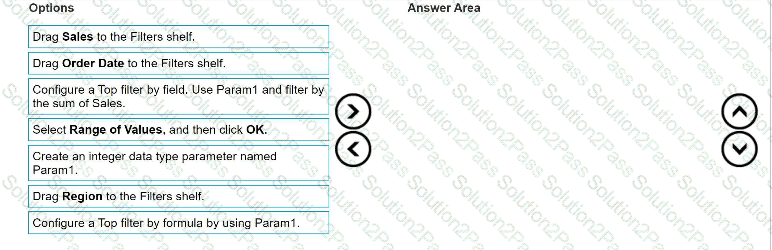
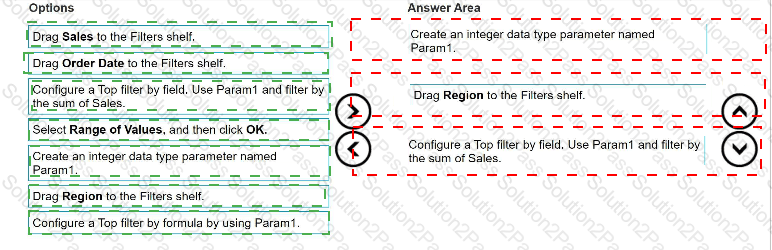
You have a data source that contains the following columns.
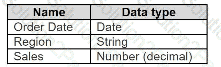
You want to filter regions based on the highest sales. Users must be able to specify the number of regions shown.
Which three actions should you perform in order? (Place the three correct options in order. Use the arrows to move Options to Answer Area.
Use Answer Area arrows to re-order the options.)
A Data Analyst has a data source with row data for service calls and their activity log.
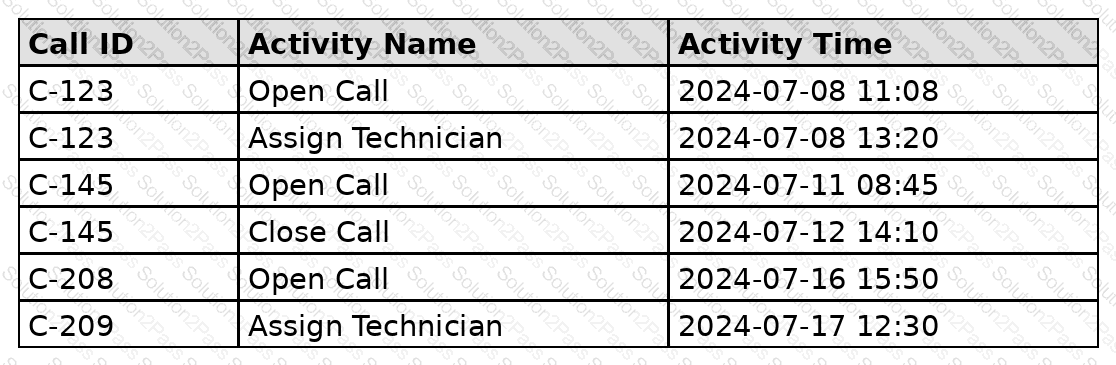
Which calculation allows the analyst to count the calls that have never had a technician assigned to them?
You have a Tableau workbook that contain three worksheets named Sheet1 Sheet2 and Sheet3.
You create several filters.
From the Data Source page you plan to add data source fillers
When type of filter will appear in the Edit Data Source Filters dialog box?
You want to create the following table in a view.
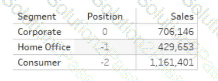
Which function should you use to create the Position column?
You are creating an annual report in Microsoft Word.
In Tableau Desktop, you build a chart in a worksheet.
You want to create an image of the chart that you can add to the annual report.
What are two ways to create the image? Choose two.
A Data Analyst is creating an annual report in Microsoft Word.
In Tableau Desktop, the analyst built a chart in a worksheet.
The analyst wants to create an image of the chart to add to the annual report.
Which two options should the analyst use to create the image? (Choose two.)
A Data Analyst has the following chart.
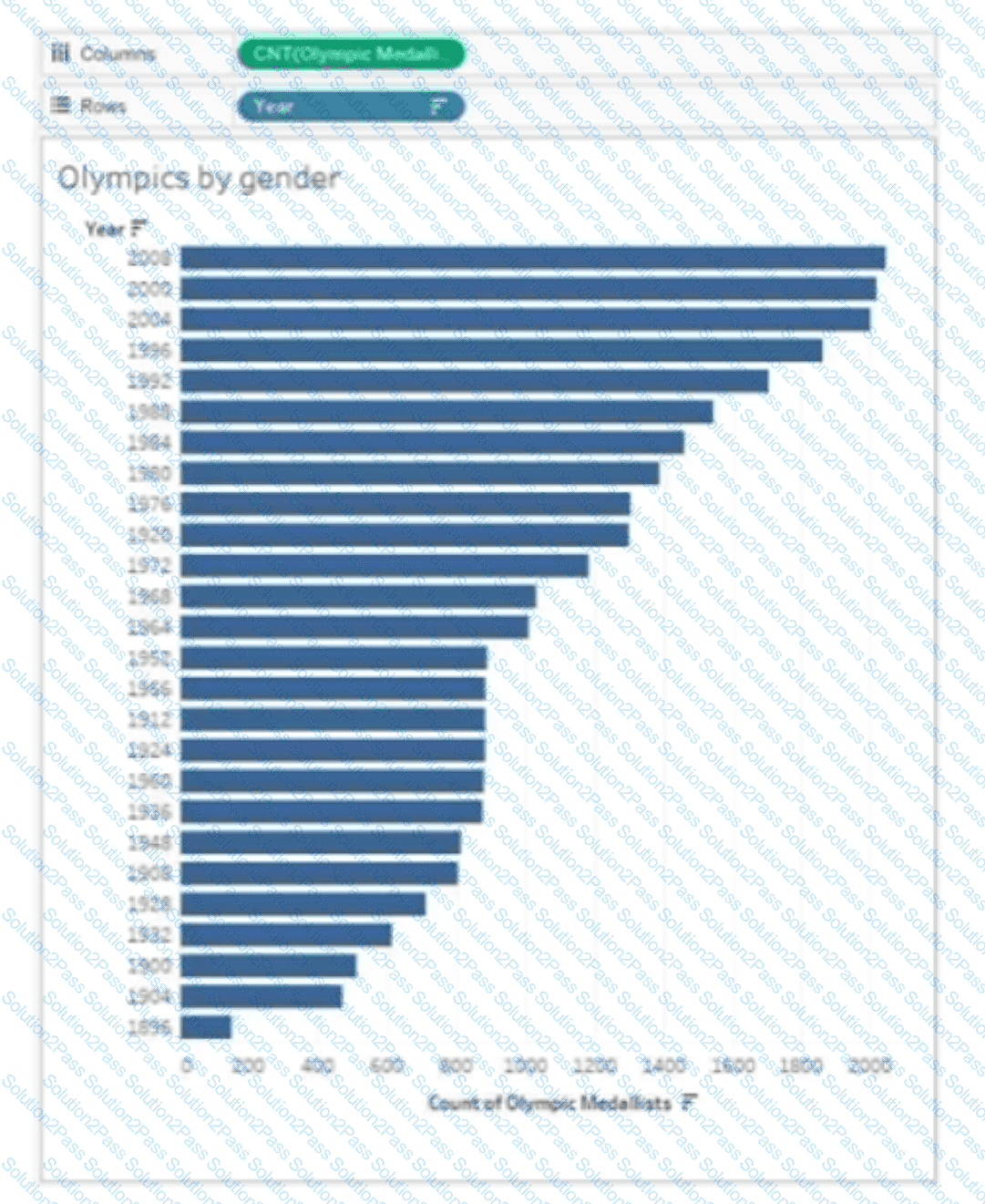
The analyst needs the top 10 values to appear in a different color. The top 10 values must be colored dynamically.
What should the analyst do?
A Data Analyst creates a parameter named Choose Region that contains values from a field named Region.
The analyst wants users to be able to use the Choose Region parameter to interact with a chart by toggling between different regions.
What should the analyst do next?
Which type of visualization interaction can a Data Analyst achieve using set actions?
You have the following worksheet.
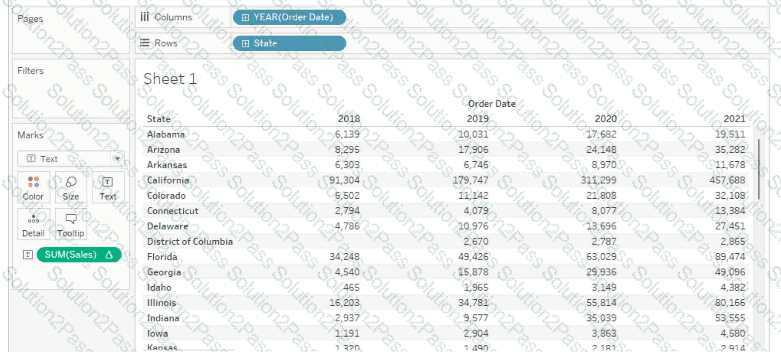
You want to create a table calculation that shows sales growth over each year.
How should you complete the formula? (Use the dropdowns in the Answer Area to select the correct options to complete the formula.)


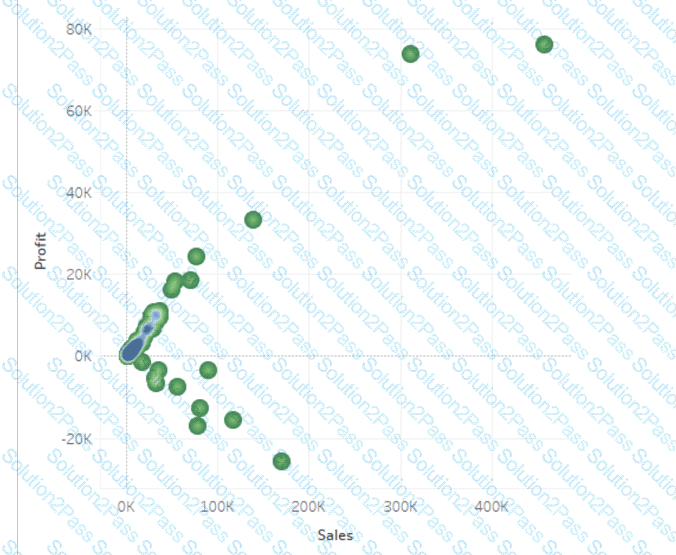
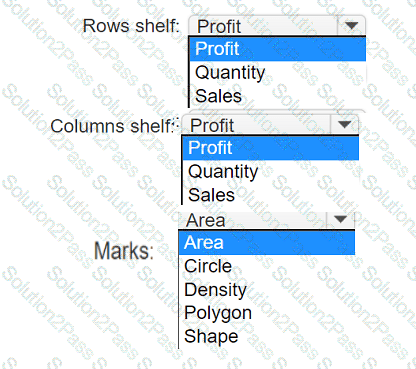
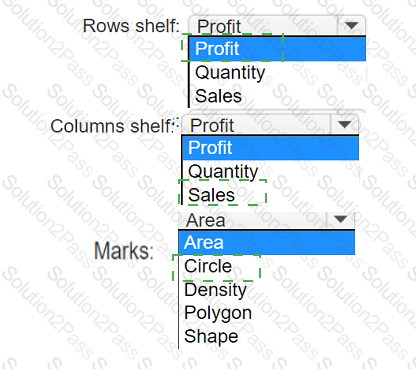
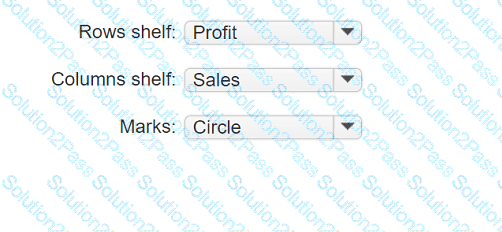
You have a data set that contains three columns named Sales, Profit, and Quantity.
You need to build the following scatter plot.
A Data Analyst has the following visualization.
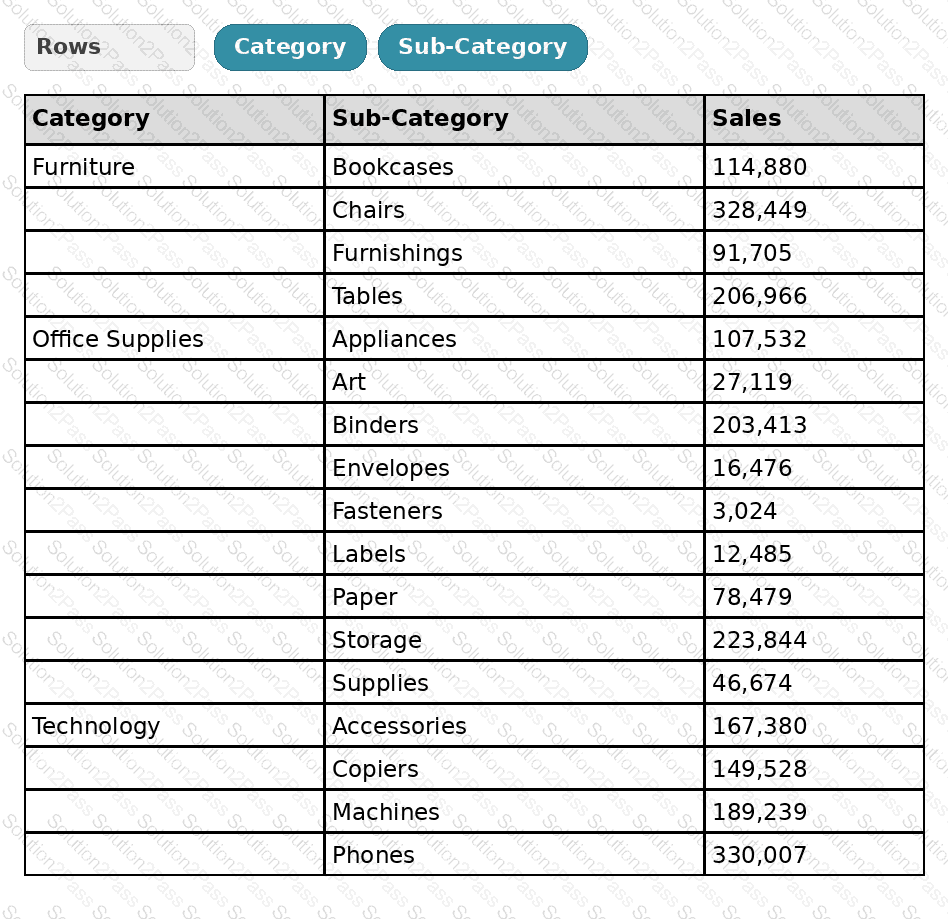
The analyst needs to add totals to the table as shown in the following visualization.
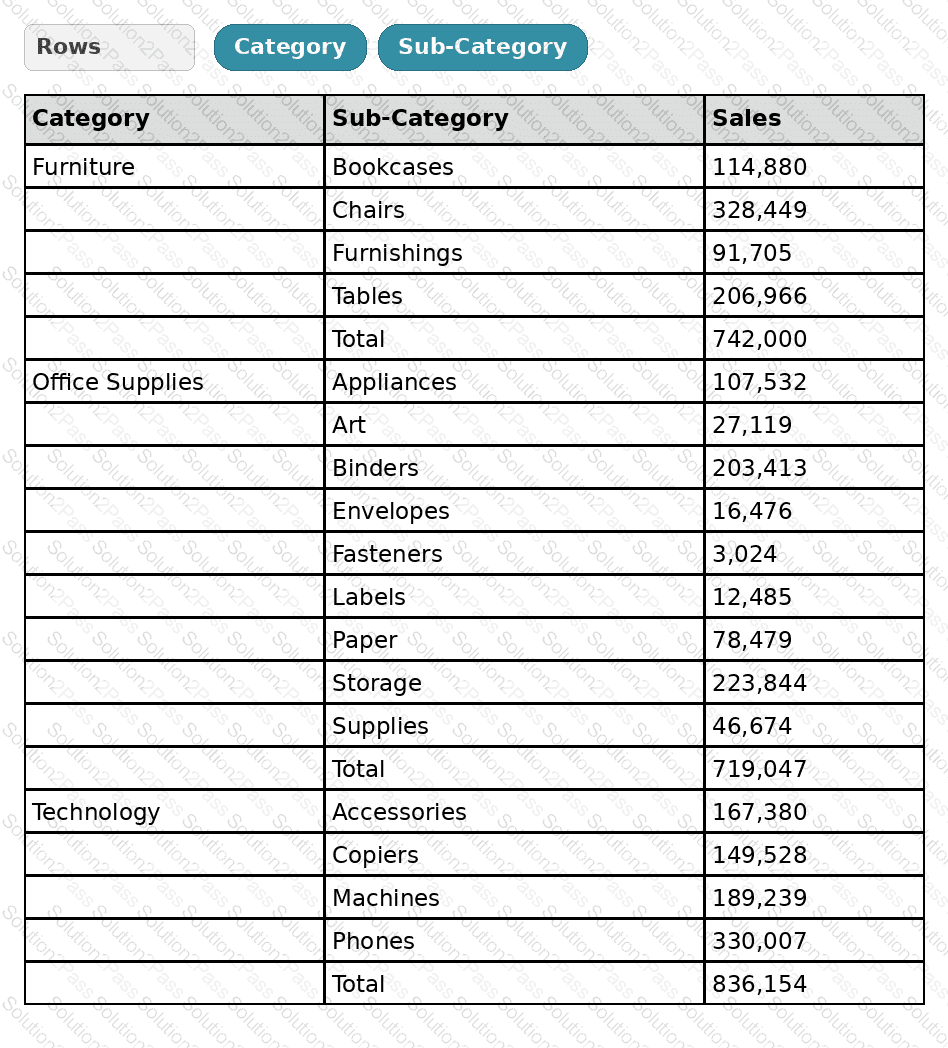
What should the analyst use from Totals on the Analysis menu?
You create a parameter named Choose Region fiat contains values from a field named Region.
You want users to be able to use the Choose Region parameter to interact with a chart by logging between different regions
What should you do next?